
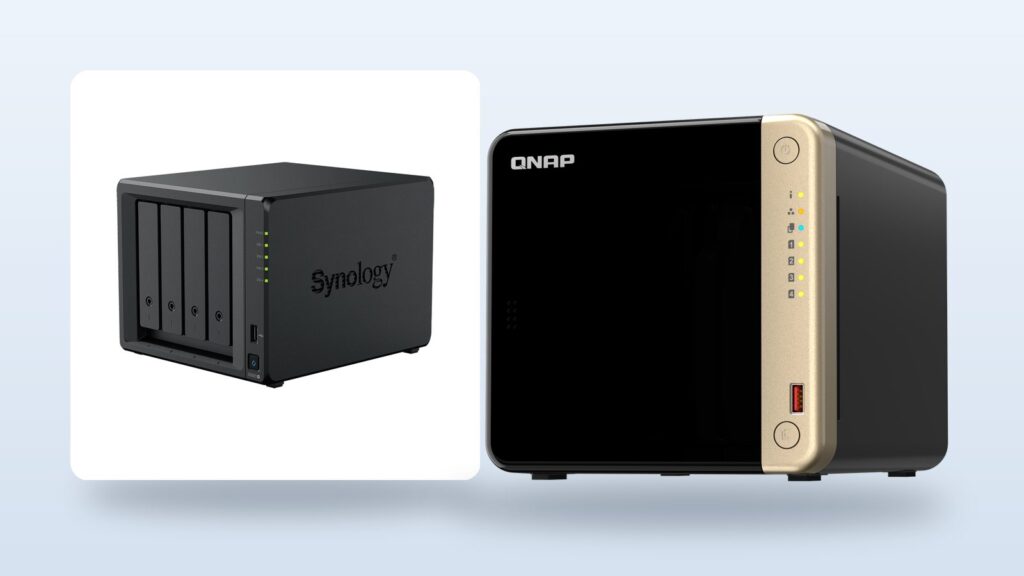
- Synology restricted third-party drives on its 2025 Plus models in April 2025, then reversed most of it with DSM 7.3 on October 8, 2025. Desktop Plus boxes accept third-party hard drives and SATA SSDs for new storage pools again.
- The reversal is not total. Unlisted M.2 NVMe drives still cannot create pools or caches, and rackmount RS Plus models still limit hard drive pools to verified drives.
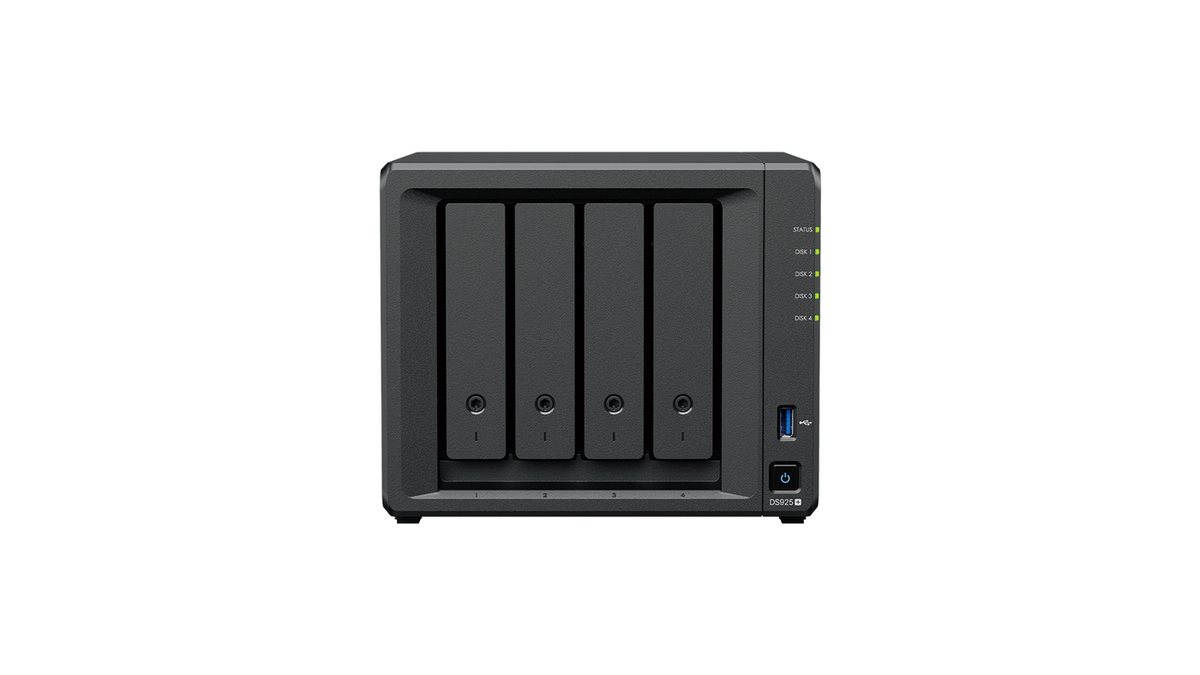
- QNAP gives you more hardware for the same money. The TS-464 has an integrated GPU for Plex, HDMI 2.1, and a PCIe slot that adds 10GbE later. The Synology DS925+ has none of those.
- QNAP’s security record is real. The DeadBolt ransomware hit thousands of internet-exposed QNAP boxes in 2022. The lesson is about exposure, and it now applies to every brand.
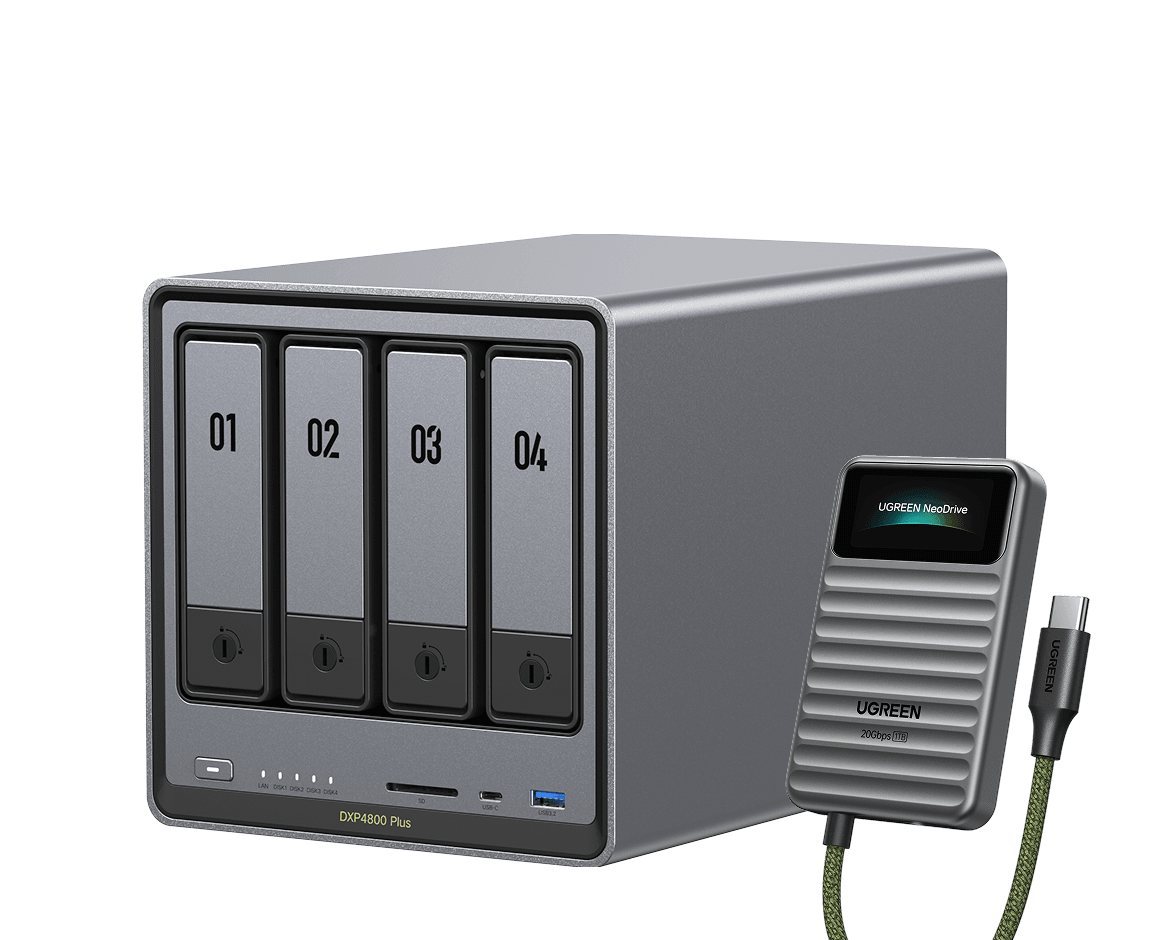
- UGREEN’s DXP4800 Plus builds 10GbE in at a price where Synology gives you 2.5GbE, which makes “neither” the honest answer for some buyers.
- Pick by your hard constraint. Hands-off backups point to Synology. Media and expansion point to QNAP. Raw hardware value points to UGREEN. Zero vendor rules point to TrueNAS.
The qnap vs synology question has a problem in 2026. Most of the answers you will find were written for a market that no longer exists. Synology spent 2025 locking third-party hard drives out of its new models, then reversed most of it in October. UGREEN went from “who?” to a serious third option with better hardware per dollar than either. And QNAP kept doing what QNAP does, which is more box for the money with a security history you should read before you trust it.
So the old one-line verdict, Synology for software and QNAP for hardware, is not wrong. It is incomplete in ways that cost real money. The drive policy story changes what a Synology actually costs to fill. The UGREEN option changes whether this is even a two-way race. This guide gives you the 2026 version. It commits to a verdict for each kind of buyer instead of shrugging at you.
We earn an affiliate commission if you buy through links on this page, at no extra cost to you. It never changes our picks.
What do you actually need this NAS to do?
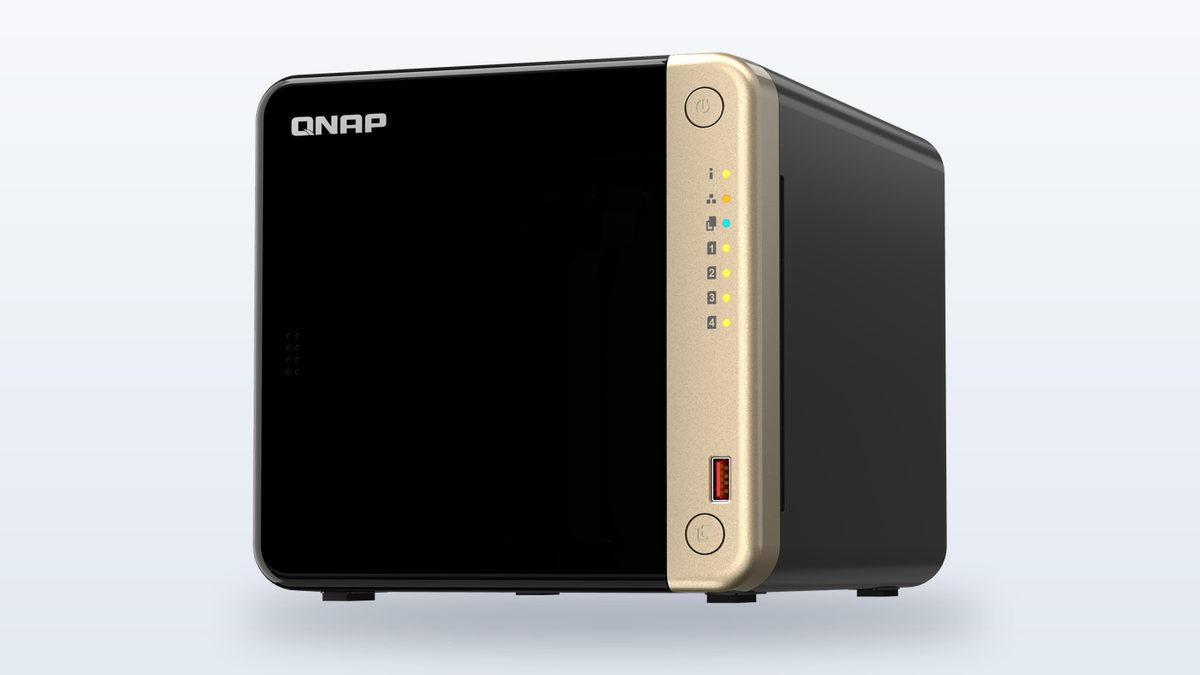
★ Your pick: QNAP TS-464
Integrated GPU and HDMI 2.1 make it the transcoding pick at this price.
★ Your pick: UGREEN NASync DXP4800 Plus
A 10GbE port built in, at money where the big two give you 2.5GbE.
★ Your pick: TerraMaster F4-424 Pro
Undercuts all three, and takes a third-party OS without a fight.
★ Your pick: QNAP TS-464
Two SODIMM slots and a PCIe slot leave doors open the DS925+ does not have.
👑 Our Top Pick — Best Overall Value
Synology DS925+
The software does the work for you, and the drive lock-in is mostly gone.
Opens on our Top Pick. Tap an option to see the best match for you.
Why the Old Answer Stopped Working in 2025
For about a decade, the standard advice was stable. Synology if you want an appliance that runs itself. QNAP if you want more ports, more slots, and more raw spec for the same money. That advice was earned, and half of it still holds.
Then 2025 happened to Synology. In April, the company said its 2025 Plus series models would only work fully with Synology-branded or Synology-verified drives. Buy a new DS925+, drop in the same WD Red or Seagate IronWolf drives the older model accepted happily, and you could not create a storage pool. The community reaction was loud. Sales reportedly sagged. Reviewers who had backed Synology for years started saying “wait.”
Six months later, Synology folded. That is not a small correction. A vendor tested how far it could push ownership rules on hardware you paid for. The market pushed back hard enough to force a public retreat. Whatever you buy next, that episode belongs in your decision. It tells you how each company behaves when its interests and yours split.
At the same time, the field got wider. UGREEN shipped a full NAS line with aggressive hardware, and by June 2026 it had four versions of its 4-bay box on the market. TerraMaster kept undercutting everyone. And TrueNAS kept being the free exit for people done with vendors entirely. A comparison written before all of this answers a question nobody is asking anymore.
The Synology Drive Policy Saga Every Buyer Needs to Know
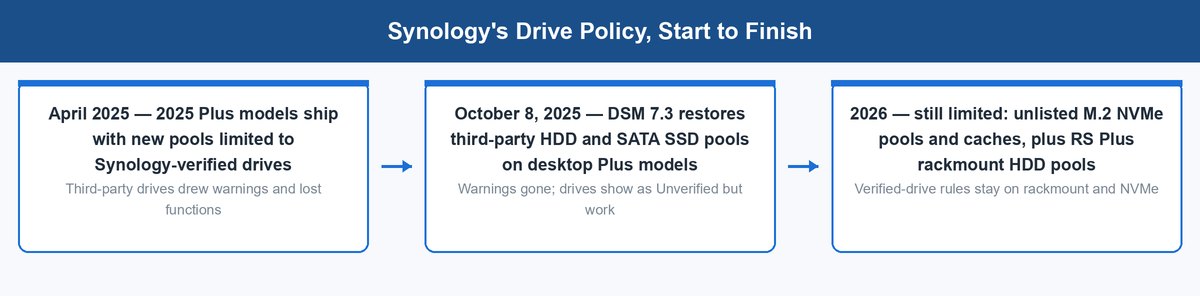
Here is the full arc, dated, because the details decide whether this matters to you at all.
In Synology’s own April 16, 2025 announcement, the company said 2025 Plus series models would rely on Synology’s own drive ecosystem. In practice, third-party drives not on the approved list could not create new storage pools on the new boxes. You could migrate old pools in, but a fresh build wanted verified drives. Synology sells its own branded drives. So buyers read the move exactly the way you would expect.
On October 8, 2025, Synology lifted most of the restrictions with DSM 7.3. Third-party hard drives and 2.5-inch SATA SSDs create storage pools on desktop Plus models again, without the warning messages and blocked functions. The company’s own drive compatibility FAQ now spells out the current rules table by table.
Read that FAQ closely, though, because the reversal has edges. Three restrictions survived, and they are easy to miss:
- M.2 NVMe drives are still locked. An unlisted NVMe drive cannot create a storage pool or a cache on a 2025 Plus model. It is only accepted by migration from an existing Synology system. If your plan involves cheap NVMe cache, the lock-in you read about in 2025 still applies to you in 2026.
- Rackmount RS Plus models never got the reversal for hard drives. Unlisted HDDs there remain migration-only. The freedom came back to the desktop boxes, not the racks.
- The bigger business lines were never included. XS, SA, FS and the other enterprise series still require compatibility-list drives for new pools. That was true before 2025 and stays true.
So what does the saga mean for the buying decision? Two things. First, the practical cost problem is mostly gone. You can fill a DS925+ with the same NAS hard drives everyone actually buys. That matters more than ever, because drive prices keep climbing as AI data centers soak up supply. Second, the trust question does not reset just because the policy did. Synology walked this back under pressure, not conviction, and its enterprise lines show where it wants to go. Price that in as a risk, not a dealbreaker. The policies apply only to 2025-and-later models, so the second-hand market for older Synology boxes is untouched by all of it.
Where Synology Still Earns the Premium
After that story, you might expect this guide to wave you off Synology. It will not. The reason people forgave the drive policy fast is the same reason they were angry in the first place. The software is genuinely that good, and nobody else has matched it yet.
DSM Still Runs Circles Around Every Rival Interface
DSM, Synology’s operating system, remains the thing competitors get compared to. Storage setup walks you into sensible choices. SHR, Synology’s flexible RAID, lets you mix drive sizes and grow one drive at a time, which classic RAID makes painful. Updates arrive on a slow, tested cadence. Documentation and community answers exist for nearly any problem you can hit. For a box you want to think about twice a year, that maturity is the product.
The DS925+ itself is a modest machine on paper, and that is the honest criticism. Per Synology’s spec sheet, you get an AMD Ryzen V1500B with four cores. You get 4GB of ECC memory, expandable to 32GB. You get two 2.5GbE ports, and two NVMe slots that accept pools only with Synology’s own drives. There is no HDMI, no PCIe slot, and no 10GbE option at all. Synology is betting you pay for software and accept the hardware. For most office workloads, that bet holds.
Active Backup Is the Feature the Others Cannot Answer
If one feature decides this whole comparison for small businesses, it is Active Backup for Business. It backs up Windows and Mac machines, servers, VMware and Hyper-V hosts, and Microsoft 365 data to the NAS, centrally managed, with no per-seat license fees. The equivalent capability elsewhere means third-party backup software and often a subscription. On a five-person office, Active Backup quietly pays the Synology price difference on its own.
Hyper Backup covers the other direction, sending versioned, encrypted copies of the NAS itself offsite. Together they turn the box into a backup appliance that happens to also share files. QNAP has counterparts on paper, and they work, but the polish gap is real once you run both. Synology’s backup stack is the closest thing this market has to a killer app.
Who Should Still Pick Synology in 2026
Buy Synology if the NAS is infrastructure you want to forget. Small offices without an IT person. Families with one technical member who does not want a hobby. Anyone whose real need is “my backups run every night and I never think about this box.” The DS925+ fills that role better than anything else at its price. And with DSM 7.3, you can fill it with drives you choose.
Skip Synology if you care about hardware value, want any multimedia output, or need faster networking without buying into the enterprise lines. And go in with open eyes about the NVMe rule, because that part of 2025 never got reversed.
What QNAP Actually Gets You for the Same Money
QNAP’s pitch has not changed in years, and 2026 is the first time in a while it looks this strong next to Synology. You get meaningfully more machine for equivalent money. The question was never the hardware. It was everything around it.
The TS-464 Embarrasses the DS925+ on Spec
Put the two 4-bay mainstream boxes side by side and the gap is not subtle. The QNAP TS-464 runs an Intel Celeron N5095 with Intel UHD graphics on the chip, and it ships with 8GB of RAM. Per QNAP’s spec sheet, it carries two 2.5GbE ports, two NVMe slots, HDMI 2.1 out at 4K60, and a PCIe Gen 3 slot that takes a 10GbE card later. The DS925+ answers with a somewhat stronger CPU, ECC memory, and none of the rest.
That integrated GPU is the headline for home buyers. Plex hardware transcoding on the TS-464 is a checkbox. On the DS925+ it is impossible, because the AMD V1500B has no graphics silicon at all. If your NAS will ever sit behind a TV or feed Plex to phones outside your house, this single line item decides the comparison. We walked through the same logic in our Jellyfin vs Plex guide, where the server hardware question keeps landing on exactly this chip difference.
QuTS Hero and the Hardware Ladder Above It
QNAP’s software story is better than its reputation. QTS, the standard operating system, does everything DSM does at eighty percent of the polish and gives you more knobs while doing it. Higher up the range, QNAP’s h-series models run QuTS hero. That is a version built on ZFS, the file system TrueNAS is famous for, with stronger data integrity checks and dedup built in. Synology has no ZFS answer at any price.
The hardware ladder is also simply longer. QNAP will sell you 10GbE and 25GbE cards, U.2 slots, Thunderbolt models for video teams, and short-depth rackmounts, at prices Synology reserves for its enterprise catalog. If your storage plans grow in odd directions, QNAP has a SKU for it and Synology often does not.
Who QNAP Actually Fits
Buy QNAP if you know what a port forward is and you want maximum capability per dollar. Plex households. Homelabs that will add 10GbE next year. Small businesses with someone technical who wants ZFS-grade integrity from QuTS hero without building a server. The TS-464 is the best pure hardware value of the mainstream 4-bays from the big two, and it is not close.
Skip QNAP if nobody in the building wants to manage it, or if reading the next section makes your stomach drop. The hardware is a bargain because the software asks more of you, and part of what it asks is operational discipline.
The QNAP Security Record, Told Straight
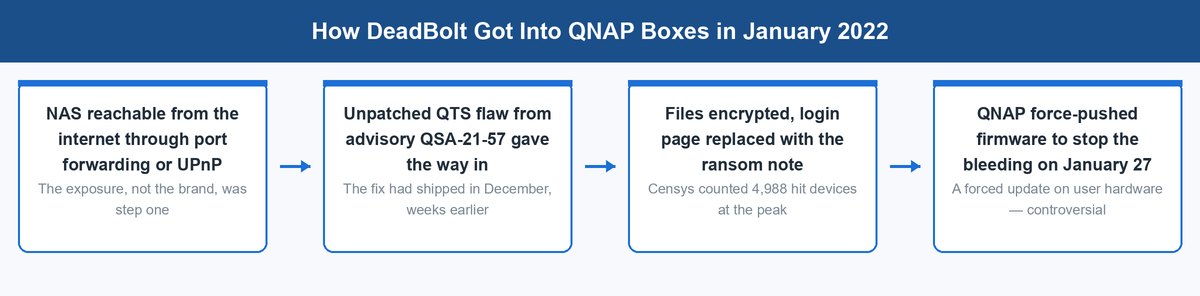
This is the section QNAP fans call unfair and Synology fans overstate. Here is what the record actually shows, from primary sources, and what it should change about your decision.
In January 2022, the DeadBolt ransomware campaign hit QNAP NAS devices at scale. Per QNAP’s own advisory QSA-22-02, attacks began on January 25, 2022, encrypting files and replacing the login page with a ransom note. The attackers exploited a QTS vulnerability QNAP had patched weeks earlier. Censys measured 4,988 infected QNAP devices at the peak on January 26, out of roughly 130,000 QNAP boxes visible on the internet, and the campaign kept resurging through 2022. QNAP’s response included force-pushing firmware updates to user hardware on January 27, a move that stopped bleeding and started its own controversy about who controls your box.
DeadBolt was not the first. The Qlocker campaign, per QNAP’s advisory QSA-21-12, began the week of April 19, 2021 and extorted QNAP owners through a flaw in the Hybrid Backup Sync app. One incident is bad luck. A repeating pattern says something deeper. QNAP shipped feature-rich software with too many doors in it. And its friendly defaults for remote access left too many boxes reachable from the internet.
What QNAP Changed After 2022
Credit where due, the pattern forced real change. QNAP now runs a steady security program with public advisories. It pays outside researchers to find flaws, ships a built-in firewall app, steers new setups away from exposed admin ports, and pushes automatic updates for critical fixes. The 2022-class mass event has not repeated at that scale since. The honest current read is that QNAP went from below the bar to roughly at it. What the record still tells you is how the company handles the gap between shipping features and hardening them, and you should assume that culture changes slowly.
The Part That Applies to Every Brand on This Page
Strip the logos off and DeadBolt is a lesson about exposure, not about QNAP. Step one of every one of those infections was a NAS reachable from the open internet. Usually the door was UPnP, a router feature that lets devices open their own ports. Sometimes it was a port forward someone set up for convenience. Synology boxes with exposed QuickConnect-adjacent services and weak passwords get ransomed too. So do internet-facing UGREEN and TerraMaster boxes.
So how much should the record weigh? If you will configure the box once and never look again, weigh it heavily and lean Synology, whose conservative defaults fit negligent owners better. If you will spend twenty minutes on network hygiene, the practical risk gap in 2026 is small, and QNAP’s hardware advantage is permanent.
The Spec Sheet Face-Off in One Table
Here is the mainstream 4-bay tier, vendor specs only, so you can see the shape of the trade in one look.
| What you get | Synology DS925+ | QNAP TS-464 | UGREEN DXP4800 Plus |
|---|---|---|---|
| CPU | AMD Ryzen V1500B, 4 cores, no iGPU | Intel Celeron N5095, 4 cores, Intel UHD iGPU | Intel Pentium Gold 8505, 5 cores, Intel UHD iGPU |
| Memory | 4GB ECC, max 32GB | 8GB, max 16GB official | 8GB DDR5, max 64GB per UGREEN |
| Networking | 2 x 2.5GbE | 2 x 2.5GbE, 10GbE via PCIe card | 1 x 10GbE + 1 x 2.5GbE built in |
| NVMe slots | 2, pools with verified drives only | 2, no drive-brand rules | 2, no drive-brand rules |
| HDMI out | None | HDMI 2.1, 4K60 | HDMI 8K-capable |
| Expansion | USB-C DX525 unit | PCIe Gen 3 x2 slot | None |
| Software maturity | DSM, the class leader | QTS, capable and busier | UGOS Pro, young and thin |
| Drive policy | Third-party HDDs fine since DSM 7.3, NVMe still locked | Open, compatibility list advisory | Open |
Prices move around, but all three live in the same broad band, roughly the $500 to $650 class before drives. That is exactly why the comparison is uncomfortable. Nobody is buying their way out of the argument. You are choosing which trade you can live with, which is why the verdict section below is sorted by constraint instead of by brand.
When the Honest Answer Is Neither of Them
Here is the part the older guides could not tell you. Sometimes the right answer to qnap vs synology is the company that was selling USB chargers five years ago.
The UGREEN Hardware Case Is Genuinely Hard to Beat
Look at what the UGREEN NASync DXP4800 Plus packs in. A five-core Intel Pentium Gold 8505 with graphics built in. 8GB of DDR5, which UGREEN rates for 64GB. Two NVMe slots. And the headline, a built-in 10GbE port, in the same price band where Synology hands you 2.5GbE and QNAP makes 10GbE an add-on card. There is no drive lock-in of any kind. For raw hardware per dollar, neither big brand has an answer at this tier. UGREEN is also moving fast: it shipped an AMD-powered GT line with dual 10GbE in June 2026.
We reviewed the box in depth in our UGREEN NASync DXP4800 Plus guide, including the four-models-in-two-years release pace and what it implies. The short version holds here.
The Software Is Where You Pay
UGOS Pro, UGREEN’s operating system, covers the basics competently. Files, backups to and from clouds, photos, Docker containers, snapshots. What it lacks is the deep bench. There is no Active Backup twin. There is no camera suite worth the name. The app catalog is much thinner, the docs are shorter, and the community is smaller when something breaks at 11 p.m. UGREEN also has no long record of keeping firmware flowing to aging models, because it has no aging models yet. That is the actual price of the hardware bargain.
Buy UGREEN if you are comfortable with young software or plan to replace it, and the 10GbE-for-cheap math makes your eyes light up. Skip it if you wanted the appliance experience, because that is precisely what is not on the shelf yet.
TerraMaster and TrueNAS Are the Other Exits
Two more names complete the 2026 map, and both matter more as pressure valves than as head-to-head rivals.
TerraMaster Undercuts Everyone and Asks for Patience
TerraMaster plays the value game even harder than UGREEN. Boxes like the F4-424 Pro deliver current Intel silicon and four bays at prices the big two do not touch. Its TOS software has improved a lot across recent versions. It still trails DSM and QTS in polish and app depth, and the company’s smaller size shows in docs and support. TerraMaster earns a real nod in one specific role. It is the cheapest respectable four-bay hardware, above all for people who plan to run TrueNAS on it anyway, which its boxes accept without drama. As a software appliance for a non-technical owner, it is a compromise you should make knowingly.
TrueNAS Is What Total Control Costs
TrueNAS Community Edition is free and runs on hardware you choose. You get ZFS with none of anyone’s drive rules or policy reversals. The trade is that you become the vendor. You pick the parts, you plan the pools, you own the updates. When something misbehaves, the support department is you and a forum. Did the Synology drive saga leave a bad taste? Then TrueNAS is the logical end of that feeling, and our Unraid vs TrueNAS comparison covers which flavor of DIY fits. For everyone else, it is the benchmark that keeps the appliance vendors honest.
Four Buyer Types, Four Verdicts
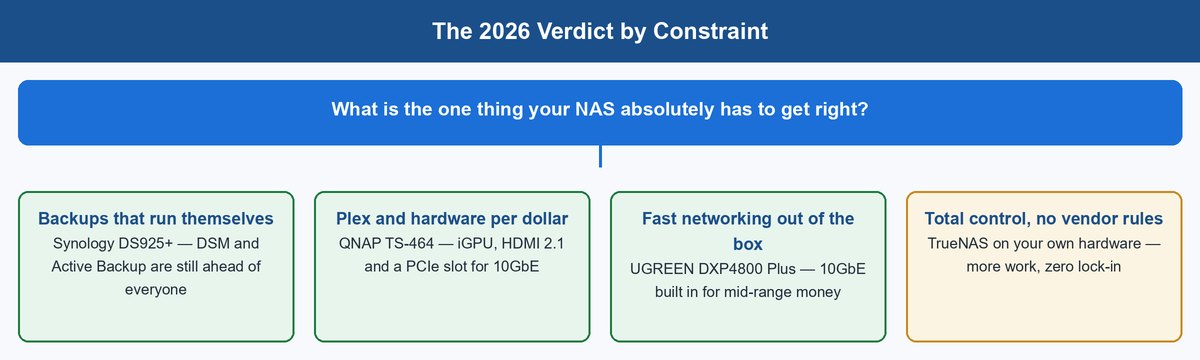
No fence-sitting. Find your row, and that is the pick.
1 Pick Synology When the NAS Must Run Itself
You want backups that never miss, on a box a non-expert can drive. Buy the Synology DS925+ and do not overthink it. DSM plus Active Backup remains the strongest software package in this market. The drive lock-in on hard drives is gone as of DSM 7.3. And the weaker hardware truly does not matter for file serving and backup work. Accept the NVMe drive rule and the missing 10GbE as the known costs.
2 Pick QNAP When Hardware and Media Are the Point
You want Plex transcoding, HDMI output, RAM room on a budget, or a future 10GbE upgrade. Buy the QNAP TS-464. It is the most machine per dollar the big two sell. And QuTS hero above it gives QNAP a ZFS answer Synology simply lacks. Pay for the bargain with twenty minutes of security hygiene: UPnP off, no exposed admin ports, snapshots on, updates automatic.
3 Pick UGREEN When Value Beats Maturity
Built-in 10GbE, DDR5 room to grow, and zero drive politics matter more to you than a deep app catalog. Buy the UGREEN NASync DXP4800 Plus. It is the best hardware deal of the three, and the software gap is closing from a low base. Buyers who plan to install TrueNAS on it are getting the strongest raw platform on this page.
4 Walk Away to TrueNAS When Control Is Non-Negotiable
If the 2025 drive saga convinced you that renting decisions from a vendor is the real risk, stop shopping appliances. Build or repurpose a box, install TrueNAS, and take the responsibility with the freedom. It costs you time instead of trust.
Frequently Asked Questions
Is Synology still blocking third-party hard drives?
Mostly no. DSM 7.3 shipped on October 8, 2025. Since then, third-party hard drives and 2.5-inch SATA SSDs can create storage pools on 2025 desktop Plus models like the DS925+, showing only an “Unverified” label. Some locks remain. Unlisted M.2 NVMe drives cannot create pools or caches. Rackmount RS Plus models still restrict hard drive pools. The XS, SA and FS enterprise lines still require compatibility-list drives. Pre-2025 models were never affected.
Is QNAP safe to buy after the ransomware attacks?
Yes, with one condition. The DeadBolt and Qlocker campaigns of 2021 and 2022 hit QNAP boxes that were reachable from the internet. QNAP has since hardened its defaults, shipped a firewall, and run a serious advisory program. Keep the NAS off the open internet, disable UPnP, use a VPN for remote access, and keep automatic updates on, and a modern QNAP is a reasonable risk. If nobody will ever touch those settings, Synology’s conservative defaults fit better.
Which is better for Plex, QNAP or Synology?
QNAP, and it is not close at the mainstream tier. The TS-464’s Celeron N5095 includes Intel UHD graphics, so hardware transcoding works, plus there is HDMI 2.1 for direct output. The Synology DS925+ uses an AMD V1500B with no integrated GPU, so it cannot hardware-transcode at all. It still direct-plays files fine, but any transcoding hammers the CPU. UGREEN’s DXP4800 Plus also transcodes well thanks to its Intel chip.
Is UGREEN a real alternative to QNAP and Synology?
For hardware, absolutely. The DXP4800 Plus ships built-in 10GbE, DDR5, and an Intel chip with graphics at money where the incumbents give you less. The honest gap is software. UGOS Pro handles the basics, but it has no answer to Synology’s backup suite, a thin app catalog, and a short track record on firmware support. Buy it for the hardware and modest software needs, or as a platform for TrueNAS.
Can I move my drives from a Synology NAS to a QNAP NAS?
Not directly. Synology and QNAP use different RAID and file system arrangements, so neither reads the other’s pools. Moving means copying data over the network to the new box, then wiping the old drives. So you need enough spare space to hold everything during the move. Within a brand, both vendors let drives move between their own models. That is one quiet reason your first brand choice tends to stick for a decade.
Do I need 10GbE on a home NAS?
Usually not yet, which matters for weighing UGREEN’s headline feature. A single hard drive tops out near 2.5GbE speeds anyway. 10GbE pays off with NVMe pools, big arrays under heavy load, or huge file transfers. It also needs a 10GbE switch and adapters on the other end. Think of built-in 10GbE as cheap future-proofing rather than a day-one need, and 2.5GbE as genuinely enough for most homes today.
Which brand holds up better for a small business?
Synology, in most cases. Active Backup for Business covers endpoints, servers, VMs and Microsoft 365 without license fees, ECC memory is standard on the DS925+, and DSM’s slow update cadence favors stability. Choose QNAP for a business instead when you need QuTS hero’s ZFS integrity, Thunderbolt video workflows, or 10GbE-heavy storage on a budget, and you have someone who owns security configuration. Either way, pair the box with versioned offsite backups before it holds anything that matters.
About the Author
Elena Brooks
Elena Brooks covers storage and infrastructure at vpod – the boxes and drives that quietly hold everything else up, from one shelf in a spare room to a rack in a small office. She reads vendor spec pages, security advisories and release notes line by line, so the policy dates, port counts and firmware claims in a guide like this come from the manufacturers’ own pages rather than marketing copy.