
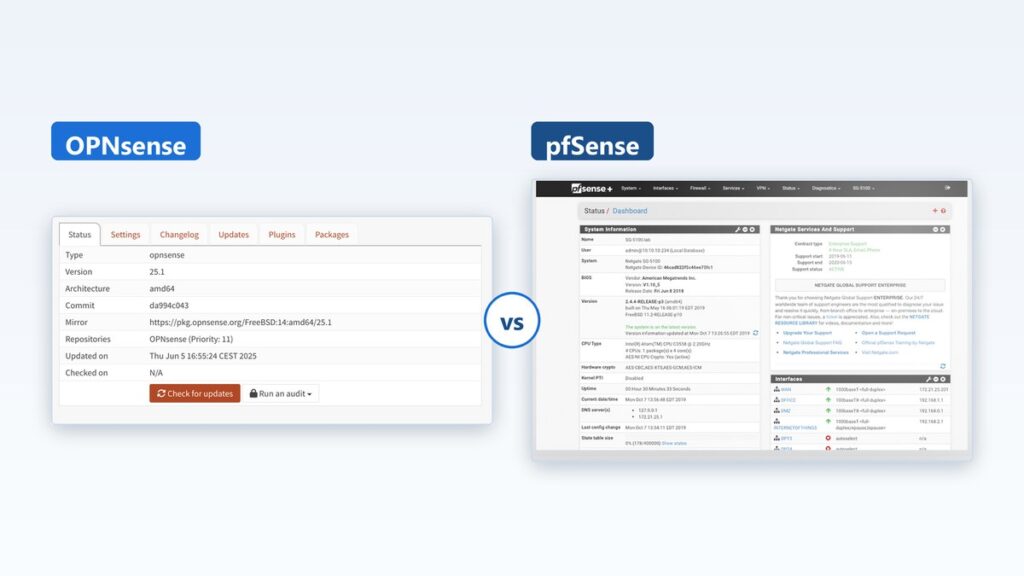
- pfSense Community Edition 2.9.0 arrived on 20 August 2026. OPNsense Community Edition is on the 26.7 series. Both are free.
- There are four products in this fight, not two. Each project sells a paid edition next to its free one.
- OPNsense gives away the fast-moving edition and charges for the calm one. pfSense does it the other way round.
- OPNsense Community Edition ships two big releases a year, in January and July. Its Business Edition ships twice a year too, each April and October, one hardened step behind.
- Switching later costs you a weekend, not a click. Settings do not carry across from one to the other.
- Pick the cadence you can live with. The menu layout stops mattering after week two.
Both are free. Both run on FreeBSD. Both will filter your traffic just fine. So the opnsense vs pfsense argument is almost never about which one blocks packets better.
Here is where things sit in September 2026. Netgate shipped pfSense Community Edition 2.9.0 on 20 August 2026. OPNsense is on its 26.7 series, nicknamed Xenial Xenops. Two current, free, working firewalls.
The thing that should decide it is duller than a menu tour. Each project runs more than one release train. One train moves fast. One train moves slowly. And each project puts the slow, calm one on the opposite side of the paywall. You are not picking a logo here. You are picking how often your firewall changes under you, and who has to be awake when it does.
What Actually Separates OPNsense From pfSense Right Now
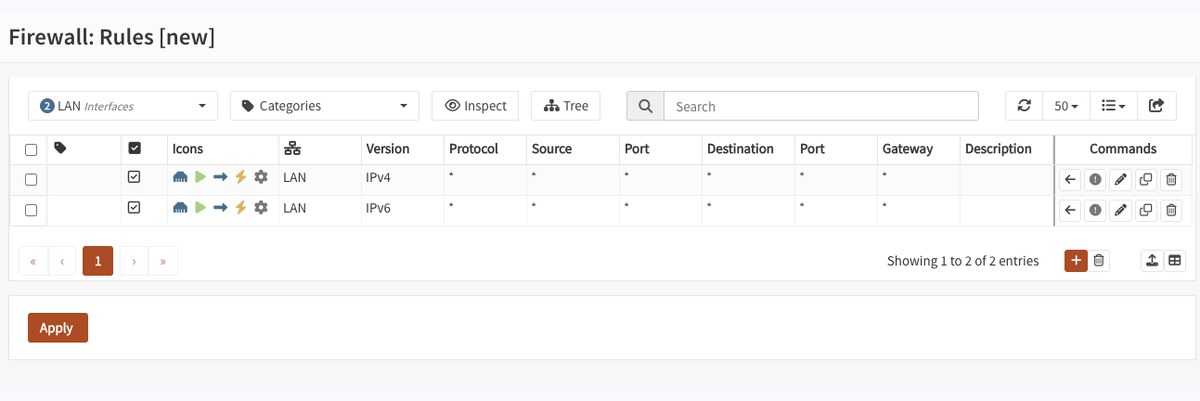
Start with the boring truth. These two share a parent. They both sit on FreeBSD. They both do stateful filtering, NAT, VPN, and traffic shaping. Most of what one can do, the other can do too.
So the gap is not in the feature list. It is in how each project is run, how often it ships, and what it wants from you in return.
One Code Base That Split Into Two in 2015
OPNsense is a fork. Deciso, a Dutch network company, took the pfSense code and started again in 2014. The first release came out on 5 January 2015. In the project’s own account of the fork, the team lists its reasons plainly: code quality, development spread too thin, and friction when they tried to contribute.
One line from that page is worth holding on to. The team wrote that the web interface should not be doing jobs that need root access. That is a design belief, not a marketing point. It shows up in how OPNsense has been rebuilt page by page since, and it is a fair part of why the two now feel different to use.
The Domain Dispute That Still Colours the Argument
You will meet this story in any forum thread on the topic, so here it is, dated and plain. Reports of the case, including Wikipedia’s sourced entry on OPNsense, say a WIPO panel found in November 2017 that Netgate had registered the opnsense.com domain in bad faith. The panel ordered the domain handed to Deciso. OPNsense’s own fork page does not mention it.
Now set that against the base rate. Eleven years have passed since the fork. Neither project has swallowed the other. Neither has gone closed. Both still ship. So treat the ruling as history you should know about before a ten-year deployment, not as a reason to strike either name off the list.
The Four Ways These Two Firewalls Actually Ship
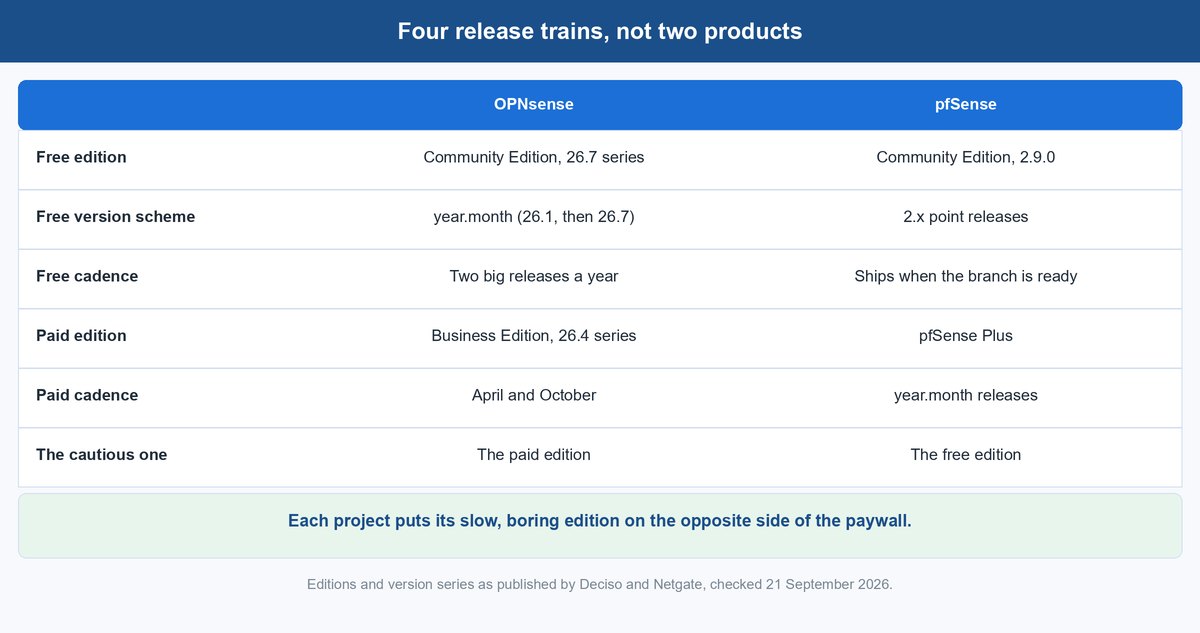
This is the part the usual comparison skips, and it is the whole answer. Ask “which one is more stable” and there is no reply until you say which edition you mean.
There are four release trains here. Two are free. Two are paid. They do not line up across the middle.
1 OPNsense Community Edition Is the Fast Free One
The free OPNsense is the busy one. Its version numbers are year and month, so 26.1 in January and 26.7 in July. Per the OPNsense release list, that is the pattern: two big releases a year, every year.
That suits people who like new things and who can schedule downtime. It suits people who want the newest packages under the hood. It is a poor fit for a box in a cupboard at a site you visit twice a year.
2 OPNsense Business Edition Is the Slow Paid One
Deciso sells a Business Edition on its own version line, currently the 26.4 series. It ships each April and October, one step behind the free line, and each release is a hardened snapshot of a community version that has already proven itself.
Read that again, because it is the twist. On OPNsense, the calm, measured edition is the one you pay for. If your reason for choosing a firewall is “I want fewer surprises”, the free edition is not the one aimed at you.
3 pfSense Community Edition Is the Slow Free One
pfSense CE keeps the old-school 2.x numbering. Version 2.9.0 landed on 20 August 2026, after the 2.8 line. There is no fixed calendar you can plan a year around. It ships when the branch is ready.
It also inherits. Netgate has said that CE 2.8.0 brought over features that had been exclusive to the paid edition. That is the shape of this train: fewer jumps, a longer wait for new toys, and a habit of receiving rather than leading.
4 pfSense Plus Is the Fast Paid One
Plus is Netgate’s commercial edition. It uses year-and-month numbering, currently the 26.07 series, so it is easy to tell the two apart at a glance. The Netgate release documentation keeps the two schemes separate on purpose.
Plus is where Netgate’s own appliances live, and where the support contract attaches. It is the train with a phone number at the end of it.
Why Calm Costs Money on One Side and Nothing on the Other
Put the four side by side and the pattern jumps out. Deciso charges for slow. Netgate gives slow away and charges for fast plus support. That single inversion explains most of the arguments you will read online, because two people can both say “the free one is more stable” and both be right about a different product.
| Edition | Who ships it | How often it moves | What it costs you |
|---|---|---|---|
| OPNsense Community Edition | Deciso and the community | Two big releases a year | Free, plus your upgrade time |
| OPNsense Business Edition | Deciso | Twice a year, April and October | Paid, tiered by support level |
| pfSense Community Edition | Netgate and the community | When the 2.x branch is ready | Free, plus your upgrade time |
| pfSense Plus | Netgate | Year-and-month releases | Paid, or bundled with Netgate hardware |
What Actually Shipped in pfSense CE 2.9.0
The 2.9.0 release matters here because it is fresh, and because it shows what a CE jump looks like when one finally arrives. Netgate counts over 150 new features, enhancements, and fixes in it. Three of them change how you should think about the train.
A Newer FreeBSD Base Under the Whole Thing
The base operating system moved to FreeBSD 16-CURRENT. That is not a cosmetic bump. It changes drivers, the kernel, and the packages sitting on top.
A newer base is good news for anyone running recent network cards. It is also the reason a CE upgrade is a real change window and not a coffee break. Read the notes before you click, not after.
Post-Quantum Key Exchange for SSH Logins
Netgate reworked the SSH daemon’s algorithms. It added post-quantum key exchange and removed older, weaker options.
In plain words, key exchange is how two machines agree on a secret before they start talking. Post-quantum means that agreement is built to survive a future computer that could crack today’s method. If your organisation has a crypto-agility line in its policy, this is a dated, citable reason to prefer one train. That is a compliance argument, not a spec-sheet flex.
Six Security Fixes and One WireGuard Flaw
The release carries critical updates for WireGuard, tracked as CVE-2026-58085, alongside six other documented security fixes. Netgate also merged security and errata fixes from FreeBSD upstream.
Here is the part worth sitting with. Those fixes reached free users on the CE train’s schedule, not on demand. That is a support-model fact, not a code-quality one. Whichever side you pick, your patch timing is set by a release cycle you do not control.
hint.acpi_spmc.0.disabled=1 in /boot/loader.conf.local before you upgrade. Check your CPU before the change window, not during it. Full detail is in the pfSense CE 2.9.0 release announcement.What a Support Contract Really Buys on Either Side
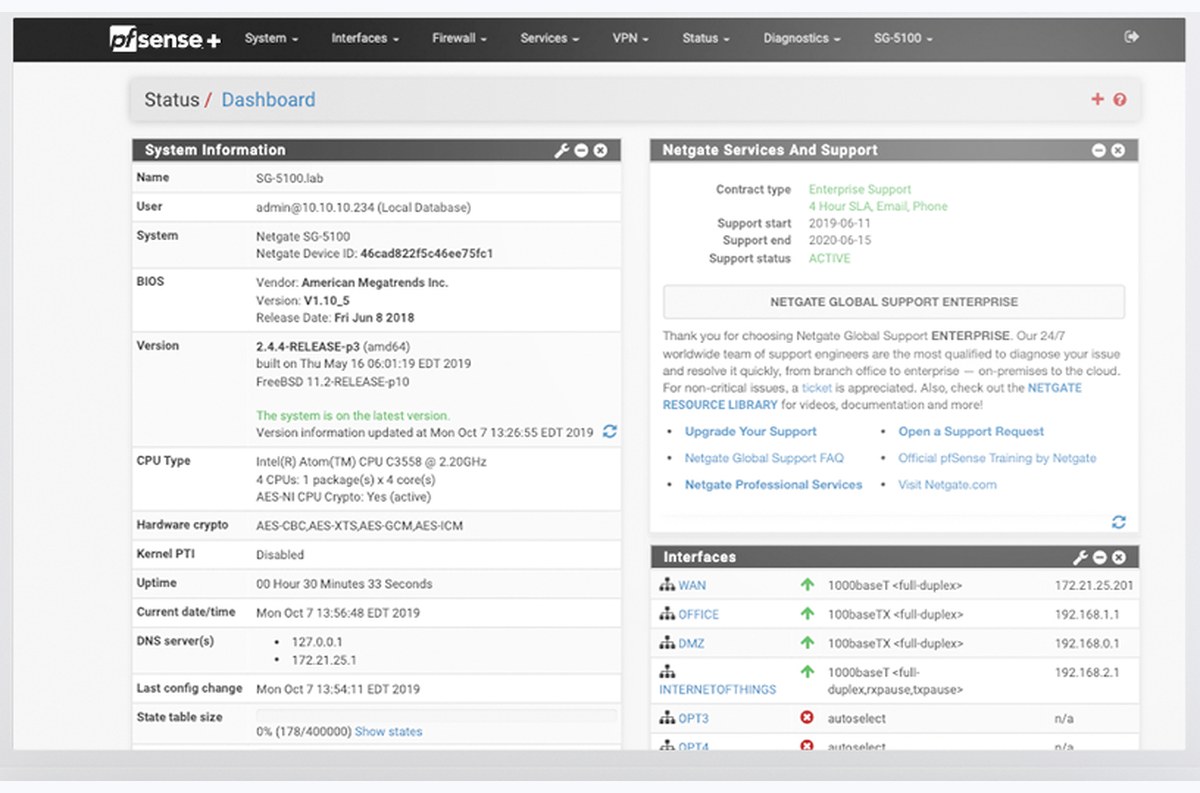
Look at a pfSense Plus dashboard and you will see a panel most free users never think about: contract type, support start, support end, support status. That panel is the product. You are not buying better packet filtering. You are buying a named party who owes you an answer.
Both projects offer this, and both put it behind money, but they attach it to different halves of their line-up. With Netgate, support lands on the fast commercial train and on Netgate’s own appliances. With Deciso, it lands on the slower April-and-October one. So “I want vendor backup” pushes you toward a fast train on one side and a calm train on the other.
A home lab and a business answer this differently. If nobody is going to be angry when the internet drops, a free edition is fine and you are the support contract. If someone will be angry, and that someone signs cheques, buy a contract on whichever platform your team already knows. Familiarity beats a feature chart when the office is offline.
What Two Big Upgrades a Year Costs a Small Team
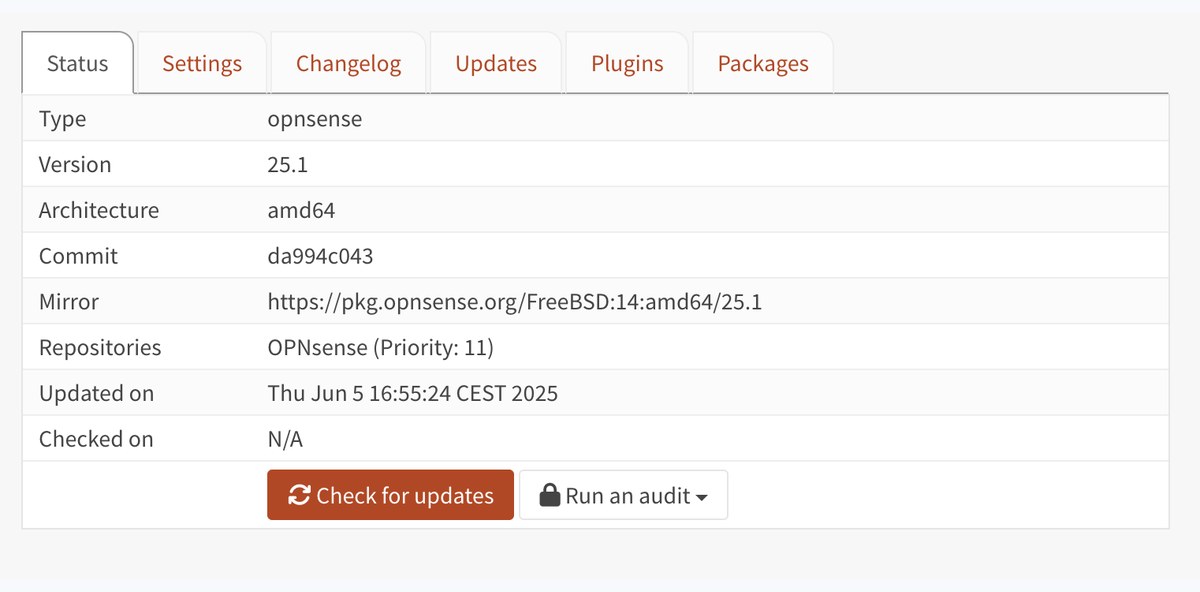
A cadence is not a spec. It is a recurring bill paid in hours, and it is the cost most comparisons leave out.
Change Windows You Do Not Control
Two majors a year means two planned outages, two sets of release notes, two rounds of package checks, and two chances for a plugin to fall behind. For a one-person IT shop, that is real time, on a calendar the project sets.
One jump a year is not automatically better. Bigger gaps mean bigger leaps when you finally move, and stale packages in between. The point is to look at the number honestly before you pick, rather than discovering it in year two.
Remote Sites Raise the Price of a Bad Upgrade
The maths changes the moment the box is not in the building. An upgrade that fails to boot at your desk is annoying. The same failure at a site three hours away is a day gone, plus a drive, plus somebody waiting.
For unattended sites, the slower train is usually the right call, whichever logo it wears. Keep out-of-band access, take a config backup you have actually tested restoring, and never upgrade a remote box on a Friday.
Whether Either One Is Actually Faster in Practice
Honest answer: this is the wrong lever. Both are FreeBSD firewalls using the same packet-filtering lineage. At the speeds most small networks run, your throughput is set by the network card, the CPU, and whether you turned on deep inspection. It is not set by the logo on the login page.
Where you will feel a real difference is hardware. A low-power box with cheap onboard ports will cap out long before either operating system does. If you are pushing past a gigabit, the card and the switch decide your ceiling, which is why a 10GbE switch changes more than a distro swap ever will. The same goes for the chassis itself, and our notes on choosing a mini PC for a home lab apply to both platforms without a single change.
What It Costs to Switch After You Have Chosen
This decision is stickier than a browser tab, and that is exactly why the cadence question deserves your attention up front. Here is what moving actually involves.
Your Configuration Does Not Port Across
There is no clean import path between the two. The config files diverged years ago, and the plugin systems are not the same shape. You rebuild.
For a simple edge box, that is an evening: interfaces, a handful of rules, DHCP, DNS, and a VPN tunnel. For a box carrying dozens of rules, aliases, VLANs, and certificates, budget a weekend and a rollback plan. Keep the old machine bootable until the new one has survived a normal working week.
pfBlockerNG Has No Drop-In Replacement
pfBlockerNG is the package that keeps a lot of people on pfSense. It handles blocklists and DNS filtering in one place, in a way many teams have wired into their routine.
OPNsense can do the same jobs. It does them through different tooling, with different names and a different layout. Plan for relearning rather than migrating, and rebuild your lists deliberately instead of expecting an export to land intact.
Appliance Hardware Can Pin You to One Side
If you bought a vendor appliance, check what it is licensed to run before you plan a move. Netgate hardware ships with its own edition and its own image, and that pairing is part of what you paid for.
Generic hardware keeps both doors open. That is a real argument for a plain mini PC over an appliance while you are still deciding, and it belongs in the purchase decision rather than after it.
Three Ways to Pick When You Only Get One Weekend
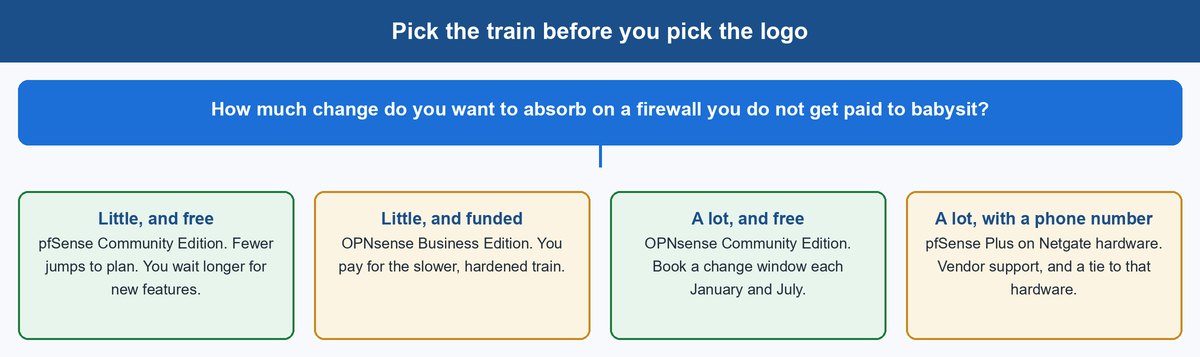
The AI answers on this query tend to end by asking you a question back: home lab or business, bare metal or virtual. That is a fair question, but you came here for an answer. So here is the rule, in one line: pick the release cadence you can absorb, then buy support only if someone else will be angry when it breaks.
1 Pick pfSense CE When Quiet Matters More Than New
Choose free pfSense when the box needs to be forgettable. Remote sites, a small office with no spare hands, a home network you would rather not think about. Fewer, larger jumps suit a machine nobody watches.
The trade is real and you should say it out loud. You will wait longer for new features, and the calendar is not yours to plan around. That is the price of quiet.
2 Pick OPNsense CE When You Want the Newer Stack
Choose free OPNsense when you enjoy the upkeep, or when you actually need the newer packages and the rebuilt interface. Home labs, test benches, and teams with a maintenance habit do well here.
Put January and July in the calendar on day one. If seeing those two entries makes you wince, that is useful information, and it points you back at the paragraph above.
3 Pick a Paid Edition When Someone Else Answers the Phone
Choose a paid edition when downtime has a cost with a name on it. On the OPNsense side that means the Business Edition and its April-and-October rhythm. On the pfSense side it means Plus, usually on Netgate hardware, with a support contract attached.
And if your team already knows one of these platforms cold, that is the tiebreaker. Familiarity beats a comparison table at two in the morning, every single time.
Where OpenWrt, VyOS, IPFire, and MikroTik Fit Around These Two
People searching this topic usually have a longer list open. Here is the short, honest placement of each, so you can rule them in or out quickly.
| Platform | What it really is | When it beats both of these |
|---|---|---|
| OpenWrt | Linux firmware for routers and access points | Small, cheap hardware, or reflashing a consumer router |
| VyOS | Config-file router built for automation | You want a router managed like code, with version control |
| IPFire | Linux firewall distribution with a hardened focus | You prefer a Linux base and a lean, opinionated build |
| Sophos | Commercial UTM with a free home tier | You want one vendor console for firewall and endpoint |
| MikroTik | Vendor hardware plus RouterOS | Cheap routing performance, if you accept its own way of doing things |
| UniFi | Vendor gateway inside one controller | You already run UniFi switches and access points |
The Bottom Line on Choosing Between Them
Stop comparing two names. There are four products here, and each project sells its calm edition on the opposite side of the paywall from the other.
If your firewall must be forgettable and free, pfSense Community Edition is the safer default. If you want the newer stack and you will genuinely show up in January and July, OPNsense Community Edition is a fine choice. If someone else needs to be able to call for help, buy support on whichever platform your team already knows.
Both projects have kept shipping for eleven years and neither is going anywhere. That means the cost of picking is not the risk of a dead project. It is the weekend you spend if you change your mind.
Frequently Asked Questions
Is OPNsense better than pfSense?
Not in general, no. On raw firewalling they are close enough that most people will not measure a difference. The useful question is which release train fits you. OPNsense hands you the fast-moving free edition and sells the calm one. pfSense does the reverse. Pick the cadence you can absorb, then decide whether you need support on top.
Which is better in 2026 specifically?
As of September 2026, pfSense CE sits at 2.9.0, released on 20 August 2026, with a FreeBSD 16-CURRENT base and reworked SSH algorithms. OPNsense CE is on its 26.7 series. Both are current and neither is coasting. What changed this year is that pfSense CE got a large, security-heavy jump, which makes the free pfSense train look less sleepy than its reputation suggests.
Is OPNsense free for home use?
Yes. OPNsense Community Edition is free with no home-use restriction, no seat count, and no feature lock. The paid Business Edition exists for organisations that want the hardened April-and-October cycle and vendor support, not because home users are missing something essential. pfSense Community Edition is free at home too.
Is OPNsense a firewall or a router?
It is both, and so is pfSense. You install it on a machine with at least two network ports, point your internet connection at one and your local network at the other. From there it handles the routing, the address translation, and the rule enforcement in one place.
What do you lose on pfSense CE compared with pfSense Plus?
CE is a complete, usable firewall, not a limited demo. Plus is the commercial train, so it carries the support contract and runs on Netgate’s own appliances. Features do move between them: Netgate has said CE 2.8.0 brought over capabilities that had previously been exclusive to Plus. Treat CE as the slower, unsupported line rather than a stripped-down one.
Why is the community so split on this?
Because people are arguing about different products without saying so. Someone praising the calm of “the free one” on pfSense and someone praising the pace of “the free one” on OPNsense are both describing their own box accurately. The two free editions sit at opposite ends of the cadence scale. Name the edition and most of the disagreement disappears.
Can I move my pfSense configuration into OPNsense?
Not cleanly. There is no supported import path, the config formats diverged years ago, and the plugin ecosystems differ. Plan a rebuild instead: interfaces, rules, aliases, DHCP, DNS, and VPN tunnels, done by hand. Keep the old box bootable until the replacement has survived a full working week.
About the Author
Elena Brooks
Elena Brooks writes about the infrastructure decisions that are hard to reverse – storage layouts, network gear, and the hardware small teams actually run. She reads the vendor release notes and the project histories so you don’t have to, quotes them directly, and says plainly when a product’s reputation and its shipping record disagree.