
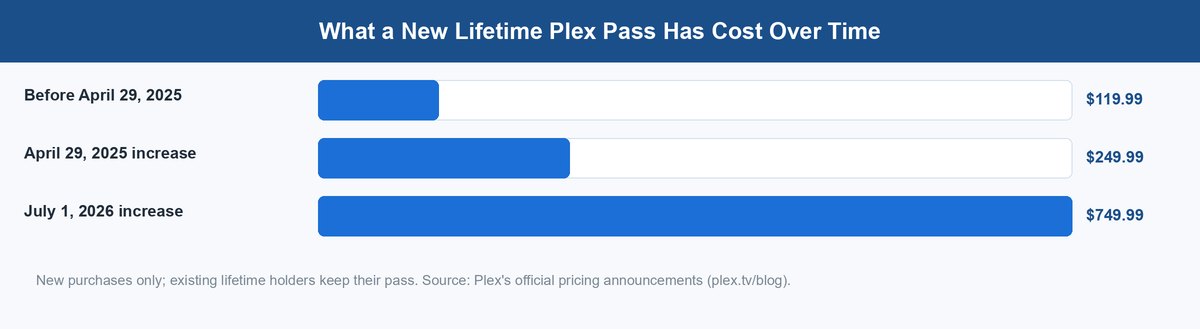
- A new lifetime Plex Pass cost $119.99 before April 29, 2025. It rose to $249.99, then to $749.99 on July 1, 2026 — per Plex’s own announcements.
- Plex now requires a paid plan to stream your own files remotely. Streaming at home stays free on most devices.
- Jellyfin is free everywhere, including hardware transcoding. Its real price is your setup time, mostly for remote access.
- Plex still wins on client apps, easy remote setup, and family-friendly polish.
- Your media files are never locked in. The lock-in is metadata and watch history, and you can plan around it.
Here is the short version of jellyfin vs plex in 2026. Plex costs money and a cloud login. Jellyfin costs your evenings. Both play your movies just fine. So the real question is not “which app looks nicer.” It is “who controls this server five years from now.” That question got very loud recently. Plex raised the price of its lifetime pass twice in fifteen months. It also moved remote streaming behind a paid tier. Jellyfin cannot do any of that, because there is no company behind it to do it. This guide walks through what that trade actually means, with the receipts.
The Real Fight Is Over Who Controls Your Server
Most comparisons line these two up feature by feature. Transcoding, apps, skip intro, music. That table misses the point now. The features change every year. The power structure behind each project does not.
Plex is a company. Companies need revenue, and Plex has been open about that. When it needs more, it can change the deal — and it has. Jellyfin is a volunteer project with open code under the GPL. It has no billing system, no license keys, and no paid tier to move features into. If its maintainers ever tried to build a wall, anyone could fork the code and carry on. That is not a theory. It is how Jellyfin itself was born: it started in late 2018 as a community fork of Emby, right after Emby moved its code toward a closed, paid model. The Jellyfin project exists because a “free” media server grew a wall once before.
So the base rate is worth saying plainly. Free products with a company attached tend to grow walls over time. Emby did it. Plex is doing it now, step by step. Jellyfin structurally cannot. That does not make Jellyfin the automatic winner — you pay in other ways. But it is the honest frame for the whole choice.
What Plex Charges Now and How Fast the Wall Went Up
On March 19, 2025, Plex published a post called Important 2025 Plex Updates. It announced two things at once. First, prices went up on April 29, 2025. Second, remote streaming of your own media stopped being free. From that day, watching your home library from outside your house needs a Plex Pass, or a cheaper “Remote Watch Pass” at an introductory $1.99 a month or $19.99 a year.
Then it happened again. On May 19, 2026, Plex announced a new lifetime price. As of July 1, 2026, a new lifetime Plex Pass costs $749.99. That is a triple jump in fifteen months for the same product. Monthly and yearly plans stayed put, and a new 5-year plan appeared at $249.99. Here is the current menu.
| Plex plan (August 2026) | Price |
|---|---|
| Plex Pass, monthly | $6.99 |
| Plex Pass, yearly | $69.99 |
| Plex Pass, 5-year | $249.99 |
| Plex Pass, lifetime | $749.99 |
| Remote Watch Pass, monthly | $1.99 |
| Remote Watch Pass, yearly | $19.99 |
The direction matters more than any single number. Each change was legal, announced, and arguably fair — servers and engineers cost money. But if you buy in today, you are betting that the next deal change lands soft. The last three did not get softer.
What Jellyfin Cannot Charge You and What It Costs Instead
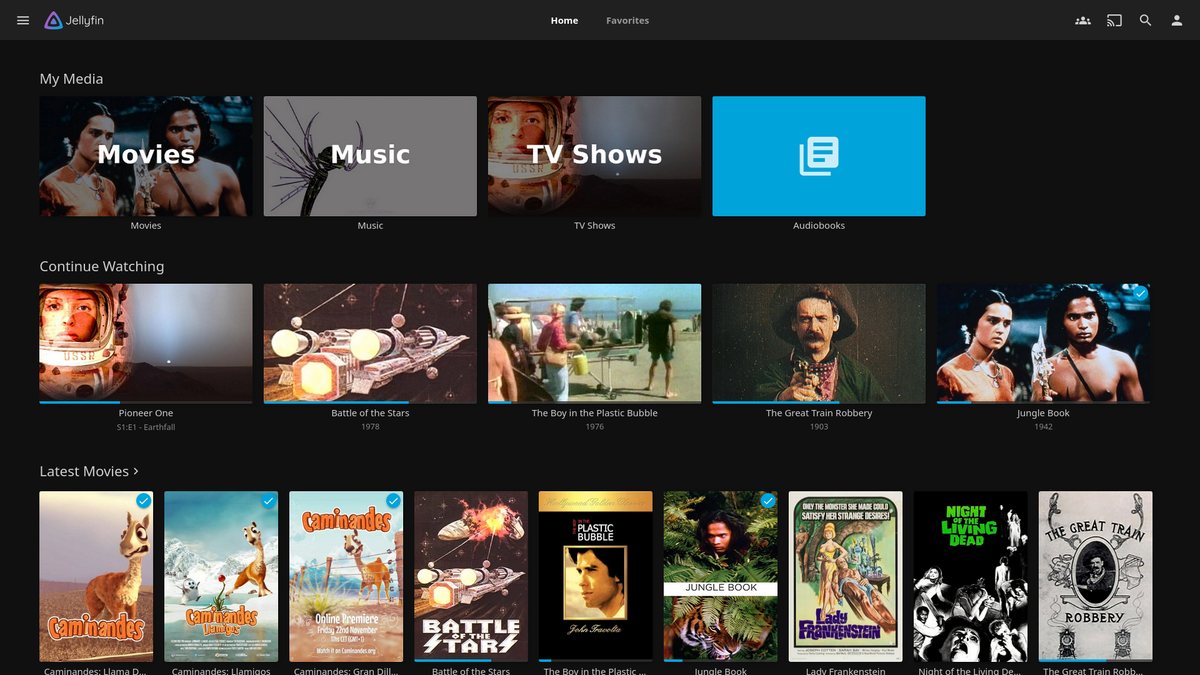
Jellyfin has no price list to show you. Every feature ships to every user, including the ones Plex sells. There is no account to create with the project, no tier to outgrow, and no renewal email coming. The software talks to your devices on your network, and that is the whole business model, because there is no business.
So where is the catch? It is your time, in three places. First, remote access. Jellyfin does not run a relay cloud for you. To watch away from home, you set up a VPN like Tailscale or WireGuard, or a reverse proxy with a domain and certificates. Second, clients. Jellyfin apps cover the big platforms, but some TVs need a sideload or a middle step, and polish varies by platform. Third, upkeep. Updates, backups, and troubleshooting are yours. The community is helpful, but nobody owes you support.
Three Ways Plex Still Beats Jellyfin Without an Argument
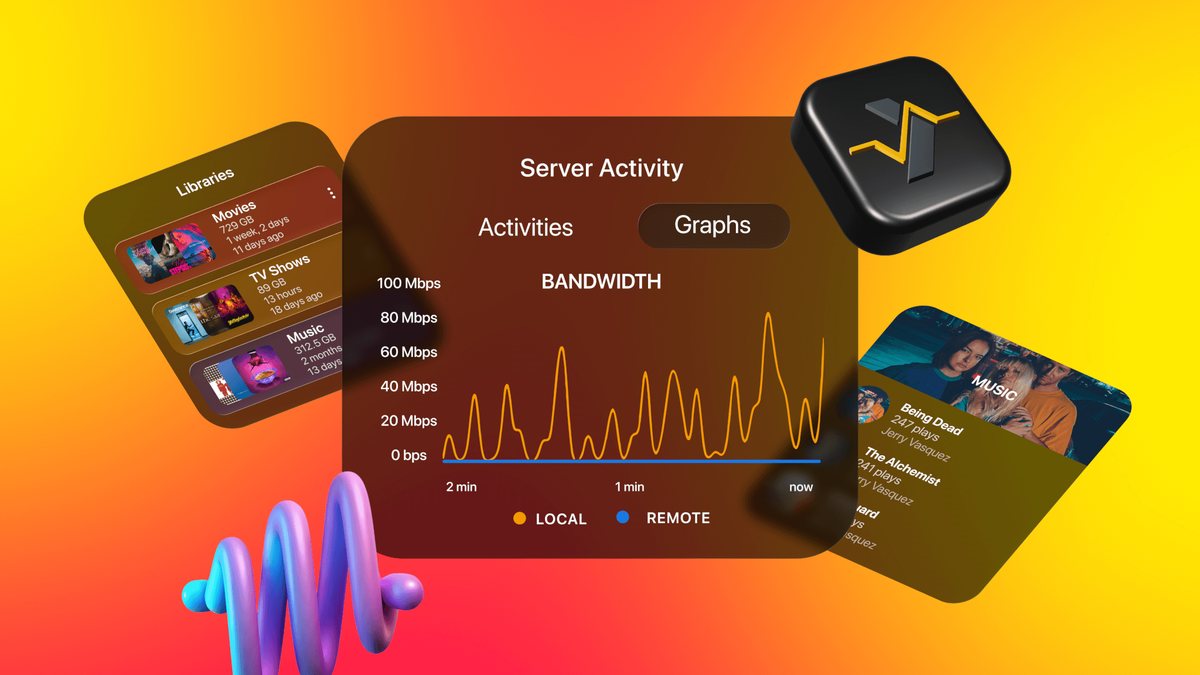
Fairness cuts both ways. Plex charges more because, in a few areas, it is simply better today. Pretending otherwise would make this a fan post, not a comparison.
1 Client Apps on Almost Every Screen You Own
Plex has spent years getting its app preinstalled or one search away on nearly everything. Smart TVs across brands, both consoles, streaming sticks, phones, and even NAS app stores from vendors like Synology and TerraMaster. Your relatives can find it without you.
Jellyfin’s coverage has grown a lot, and Android TV, Roku, and newer LG and Samsung sets are covered. But on some platforms you are the IT department. If the server is for a household of non-technical people, this gap alone can decide the whole question.
2 Remote Access That Sets Itself Up
Sign in, and Plex handles the hard networking for you. It punches through most routers on its own and falls back to a relay when it cannot. That convenience is real engineering, and it is exactly what the Remote Watch Pass now charges for.
With Jellyfin you build that path yourself. Once built, it is arguably better — direct, private, and not rate-limited by anyone’s relay. But nobody builds it for you.
3 Polish Your Family Will Actually Notice
Plex’s metadata, intro skipping, and its Plexamp music app are genuinely slick. Credits detection, trailers, and a decade of small refinements add up. Jellyfin matches more of this every year, and its metadata handling is solid. But Plex still feels more like a finished product on the couch, and couch time is what a media server is for.
Hardware Transcoding Is Free in Jellyfin and Gated in Plex
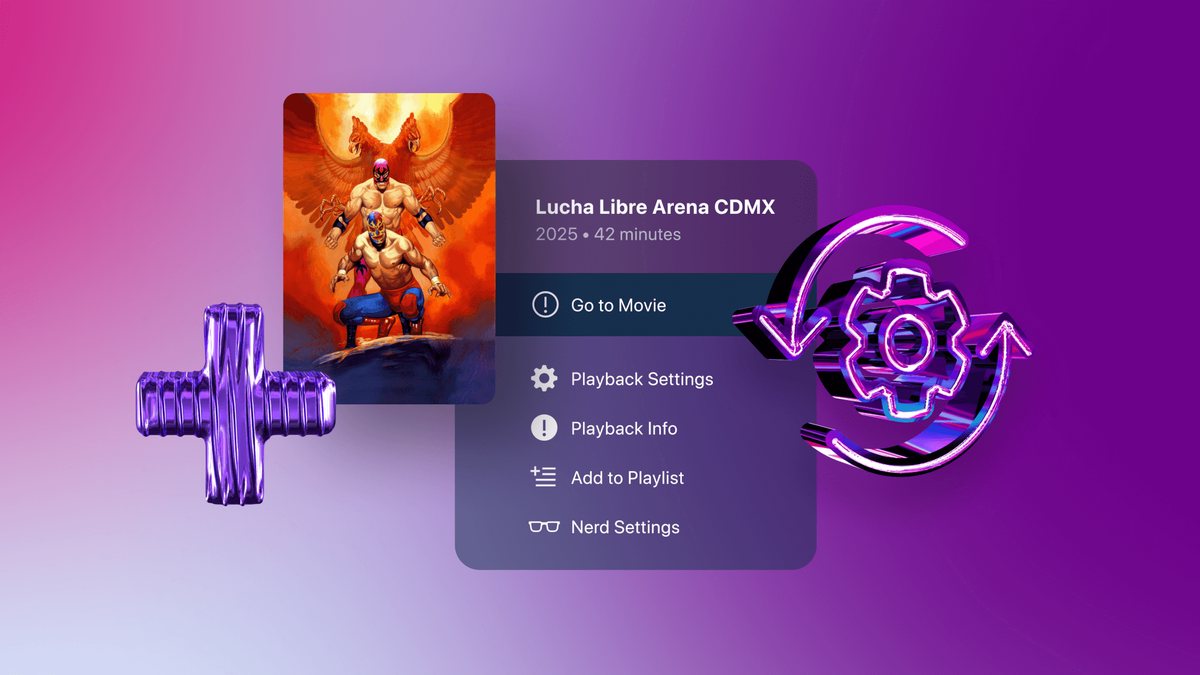
Transcoding sounds scarier than it is. When a device cannot play a file as-is, the server converts it on the fly. Think of it as the server translating a movie into a language the TV speaks. Hardware transcoding hands that work to a chip made for it — Intel Quick Sync or a GPU — so a small, cheap computer can do it without breaking a sweat.
Here is the split. In Jellyfin, hardware transcoding is free like everything else. In Plex, it is a paid feature. Plex’s own support article says it plainly: hardware-accelerated streaming is a premium feature and requires an active Plex Pass.
Why should you care? Because this decides what hardware you need. A fanless mini PC can serve a whole family if the chip does the transcoding. Without that, the processor does it the hard way, and one 4K stream can flatten a small box. So the free tier of Plex quietly pushes you toward bigger hardware, or toward the subscription. Jellyfin lets the cheap box be enough.
Why a Cloud Login Matters for a Server in Your Closet
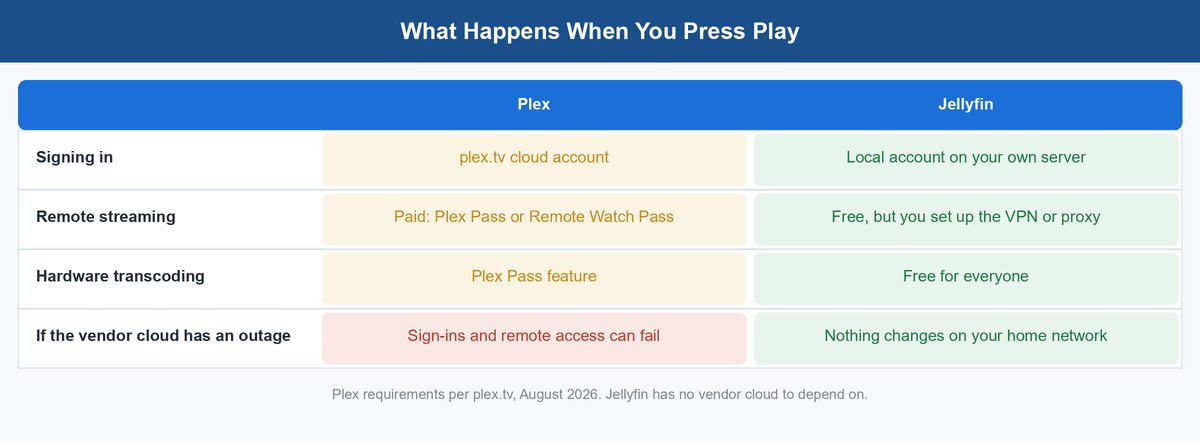
Plex sign-in runs through plex.tv. Your server sits in your house, your files sit on your disks, and yet the front door key lives partly in Plex’s cloud. Most days you never notice. On a bad day, you do: when Plex’s services stumble, sign-ins and remote access can fail even though your hardware is fine.
This is not hypothetical. Plex’s own status page logged plex.tv API problems on July 14, 2026, and a plex.direct DNS degradation on July 27, 2026. Neither was a disaster, and both were fixed. But each one briefly made some people’s local servers act broken. Offline workarounds exist in Plex’s settings, though they are fiddly and not the default path.
Jellyfin has no vendor cloud, so there is nothing upstream to fail. Your account lives on your server. If your house has power and your network is up, Jellyfin works — during an internet outage, too. For a tool whose whole pitch is “own your media,” that is not a small detail. It is the pitch, kept honest.
Moving Later Is Easier Than You Fear, With One Catch
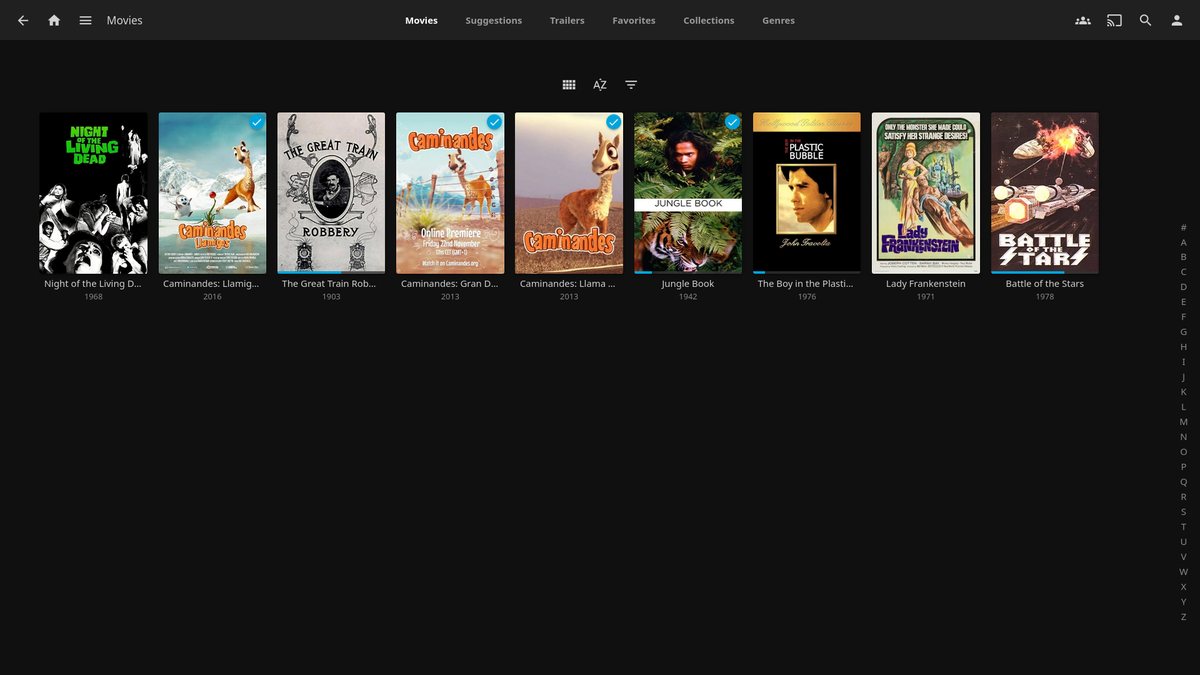
Good news first: your media files are never hostages. Both servers read the same folders, the same file names, the same formats. Point Jellyfin at a library Plex has been serving for years and it just scans it. Nothing about your movies belongs to either app.
The catch is everything wrapped around the files. Watch history, user accounts, playlists, collections, custom posters, and edited metadata live inside each server’s database. Move servers and, out of the box, that history starts at zero. Community tools exist to carry watch state across, and they mostly work, but treat them as a bonus rather than a guarantee.
Three Types of Hardware That Make Either Server Feel Fast
Server choice and hardware choice tangle together, because of the transcoding split above. The happy news is that “enough” hardware is cheap now. We covered the general case in our mini PC for a homelab guide, and the storage side in Unraid vs TrueNAS, but here is the media-server short list.
Quick disclosure before the links: the product links below are affiliate links. If you buy through one, vpod may earn a small commission at no extra cost to you.
1 A Small N100 Mini PC Runs a Whole Family’s Library
An Intel N100 mini PC sips power and carries Quick Sync, Intel’s built-in transcoding engine. With Jellyfin, or Plex plus a Pass, a box like this handles several streams while pulling less power than a lightbulb. For most homes this is the sweet spot: quiet, tiny, and low-cost to run all year.
2 A Two-Bay NAS Puts Storage and Server in One Box
A two-bay NAS with an Intel chip merges the disks and the server into one appliance. Many ship with Plex in their app store, and Jellyfin runs on most of them through Docker. Mind one spec: cheaper ARM-based models often cannot transcode well, so check for an Intel processor before you buy.
3 A Low-Profile GPU Unlocks the Heavy Jobs
Serving many users, or lots of 4K with tone mapping? A low-profile Intel Arc GPU in an old desktop turns it into a transcoding monster. This is the overkill lane — most households never need it — but it is the cheapest path to “never think about streams again.”
So Which One Should You Actually Run
There is no single winner, and anyone who names one without asking about your household is guessing. There is a right answer for you, though, and it falls out of three honest questions. Who watches? Who maintains? And how do you feel about the price history above?
Pick Plex if You Are Buying Convenience for a Family
Non-technical viewers, lots of different TVs, zero appetite for tinkering: Plex remains the smoothest ride, and the yearly Pass at $69.99 is the sane way to buy it. You are renting convenience, and it is genuinely good convenience. Just go in knowing the deal can change, because it has, three times since spring 2025.
Pick Jellyfin if You Refuse to Rent Your Own Library
Comfortable with Docker, happy to spend an evening on Tailscale, allergic to paywalls around your own files: Jellyfin is the last migration you will ever need to plan. No future pricing post can touch it. You trade polish and app coverage for permanence, and for many self-hosters that trade is the entire point.
What About Emby, the Middle Path
Emby, the project Jellyfin forked from, still exists as a paid-premium product and lands between the two. It is polished, and its Premiere tier gates hardware transcoding much like Plex does. But it shares Plex’s structure — a company that can change the deal — without Plex’s app coverage. That is why this fight is really a two-horse race: Emby answers neither the control question nor the convenience question best.
Frequently Asked Questions
Is Jellyfin really completely free?
Yes. Every feature, every client, every server, at no cost. It is open-source software run by volunteers, funded by donations. There is no premium tier to upsell you into, and the GPL license means the code stays open even if the team changed course.
Do I have to pay Plex to watch at home?
No. Streaming inside your own network stays free on most platforms. The paid requirement is for remote streaming — watching your library from outside your house — which since April 29, 2025 needs a Plex Pass or Remote Watch Pass.
Can I run Jellyfin and Plex at the same time?
Yes, and it is the smartest way to decide. Both servers can point at the same media folders without conflict. Run them side by side for a few weeks, let the household vote with their remotes, and retire the loser.
Does Jellyfin work on smart TVs?
Mostly, with caveats. Android TV, Google TV, and Roku have solid official apps, and newer LG and Samsung sets are covered. Some older TVs need a sideload or a small streaming stick. A $30-ish stick is the standard fix for a stubborn screen.
What happened to the Plex lifetime pass?
It got expensive fast. A new lifetime Plex Pass cost $119.99 before April 29, 2025, then $249.99, then $749.99 as of July 1, 2026. People who bought before each change keep their pass and its perks. Both changes were announced on Plex’s official blog.
Which server is better for 4K movies?
Either, if you avoid transcoding by playing files your device supports directly. When conversion is needed, Jellyfin does hardware transcoding free, while Plex requires a Plex Pass for it. For heavy 4K houses, the deciding spec is an Intel Quick Sync chip or a GPU, not the app.
About the Author
Elena Brooks
Elena Brooks is the person her group chat texts when something at home stops working or a health trend starts trending. She’s spent years turning that instinct into a job — digging into the research behind everyday questions, calling the experts, and writing up what holds up and what doesn’t. Her beat is wherever curiosity points: kitchens, cars, pets, sleep, money, and the occasional meteor shower.