
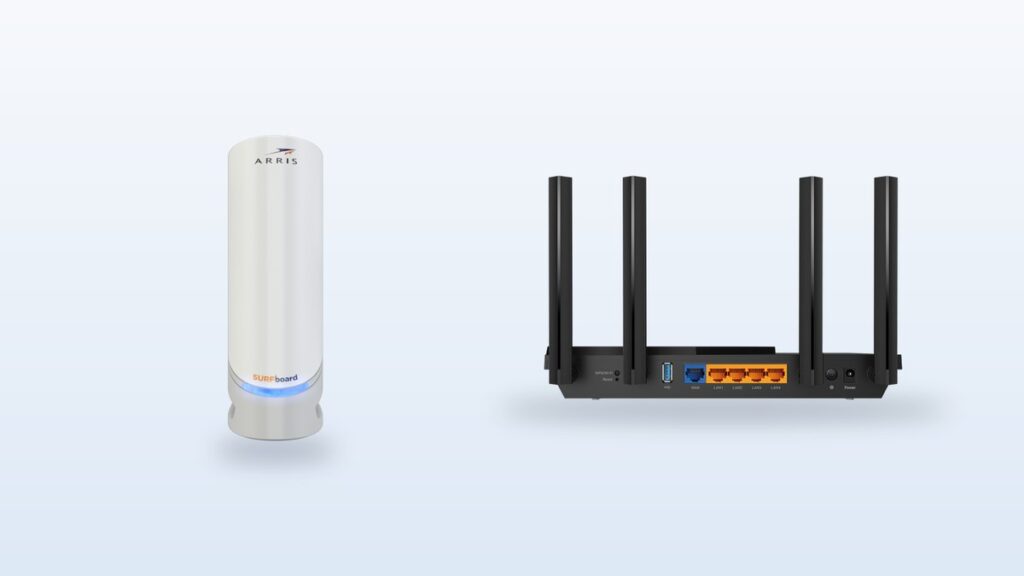
- A modem connects your home to your provider. A router shares that one connection with your phones, TVs and laptops.
- Most homes now get one box that does both jobs. Providers call it a gateway.
- Federal law says a provider may not charge you for using equipment you supplied yourself, which is what makes the swap worth doing.
- Divide the price of the box by your monthly rental line. That is how many months until buying pays for itself.
- Renting still wins on fiber, on DSL, on 5G home internet, and any time you move house often.
- The router is the half that decides your Wi-Fi. Upgrading it changes more, day to day, than upgrading the modem.
Somewhere in your home there is a box with a blinking light on it. Maybe two boxes. You know one of them makes the Wi-Fi. Past that, most of us stop asking.
Here is the short answer. A modem brings the internet into your house. A router shares it with everything inside. That is the whole modem vs router question, and you can learn it in ten seconds.
The part worth your time is what comes next. One of those jobs is very likely a line on your monthly bill. Not part of the internet price. A separate charge, for a box, that never stops. Federal law says you may swap that box for your own and stop paying it, and below we work out when that is actually worth doing.
Disclosure: if you buy through the Amazon links in this post, vpod may earn a small affiliate commission. It costs you nothing, and it does not change what we recommend. We do not run a test lab. Every speed figure below comes from the group that wrote the standard or the company that makes the box, and we say which one every time.
Which box do you actually need to buy?
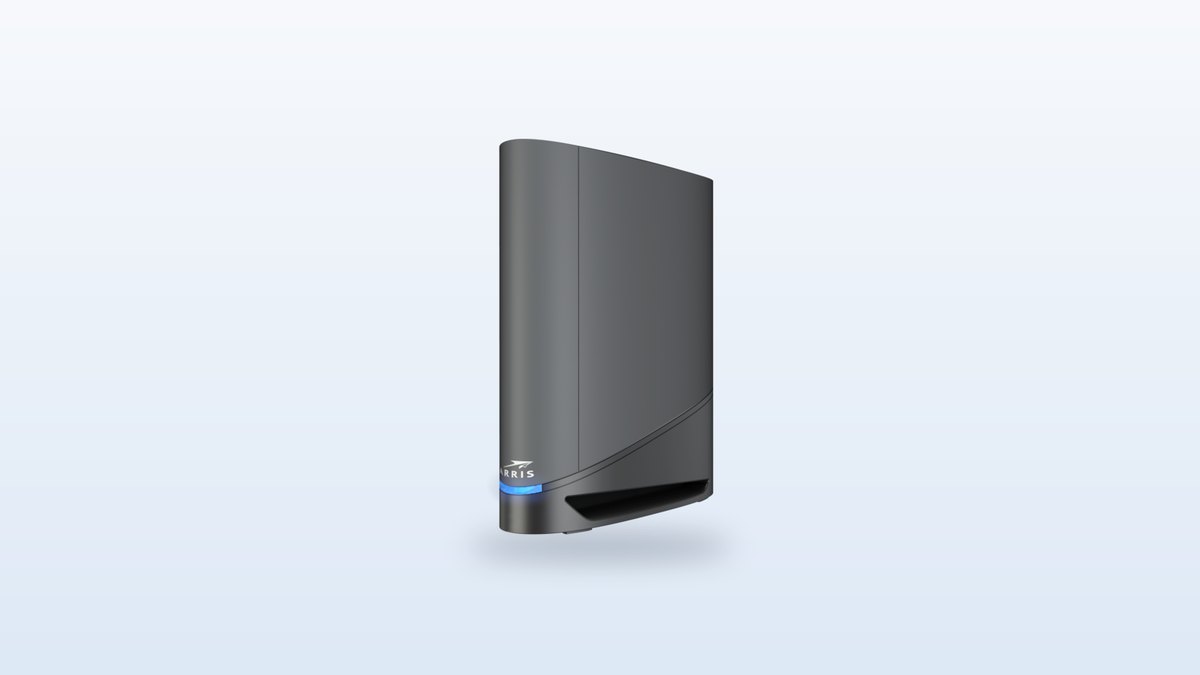
★ Your pick: ARRIS SURFboard G34
Modem and Wi-Fi in a single unit, so you hand back the rental and keep one power plug
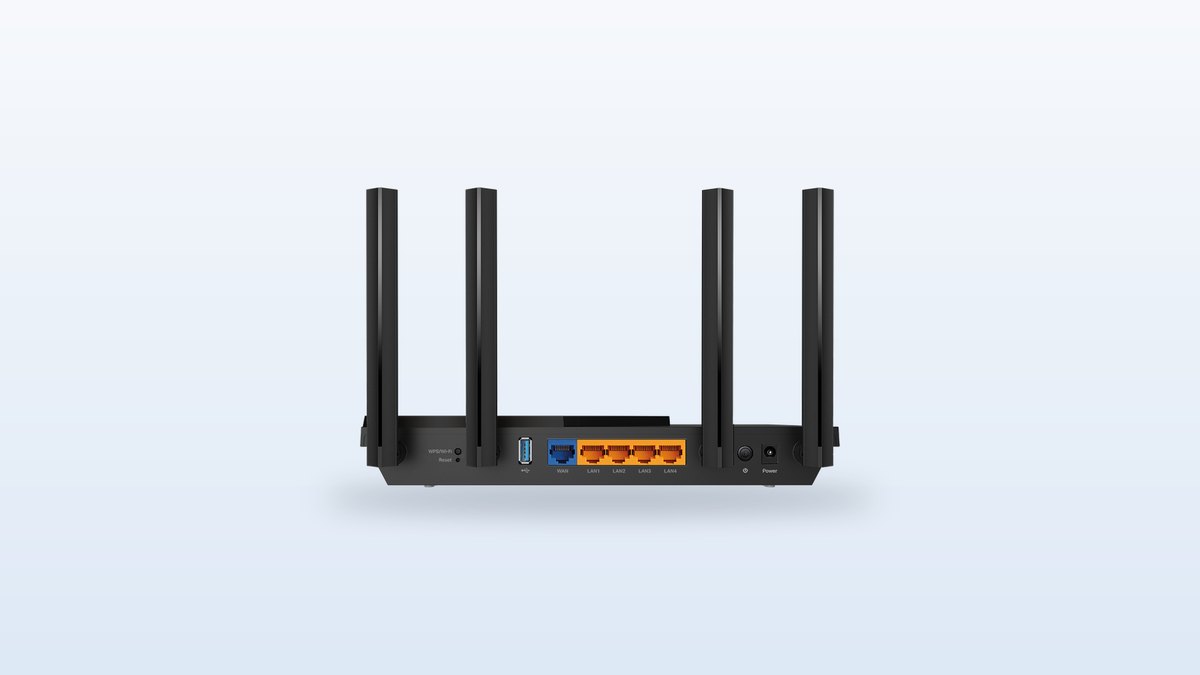
★ Your pick: TP-Link Archer AX55
Keeps whatever modem you have and fixes the Wi-Fi half for the price of a few months of rent
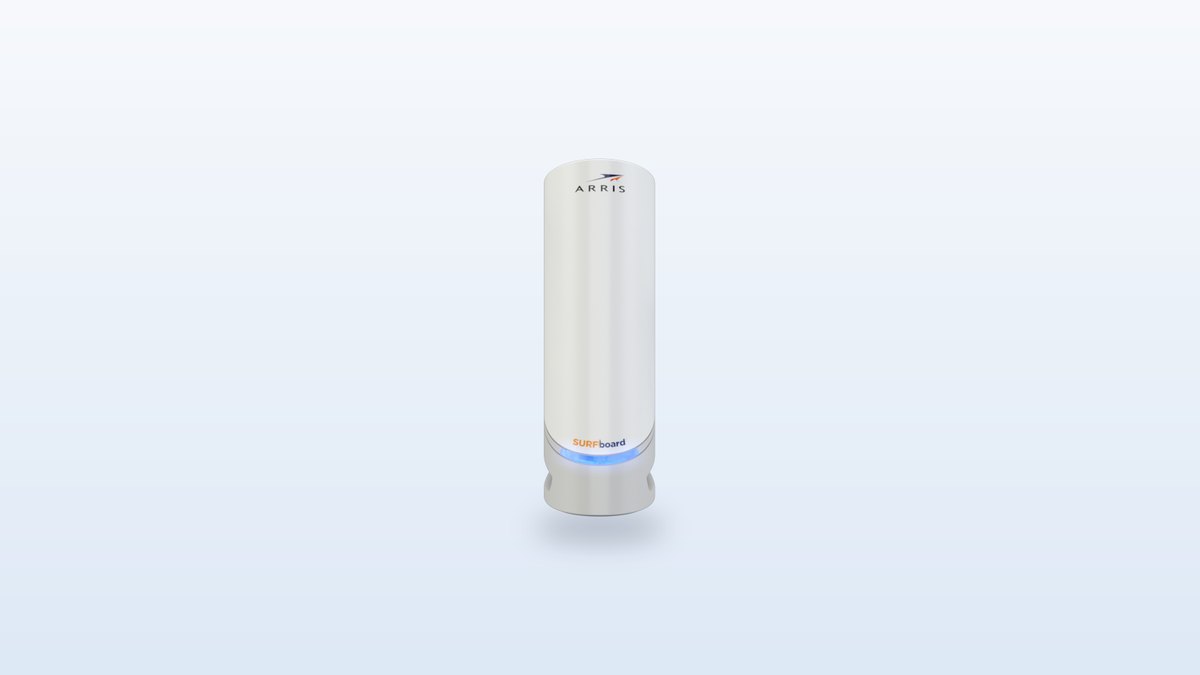
★ Your pick: ARRIS SURFboard S33
Handles multi-gigabit cable plans and lets you pick any router you like beside it
👑 Our Top Pick — Best Overall Value
ARRIS SURFboard G34
One box does both jobs, drops straight in where a rented gateway sat, and usually costs less than a standalone modem
Opens on our Top Pick. Tap an option to see the best match for you.
What Each Box Actually Does in Your House
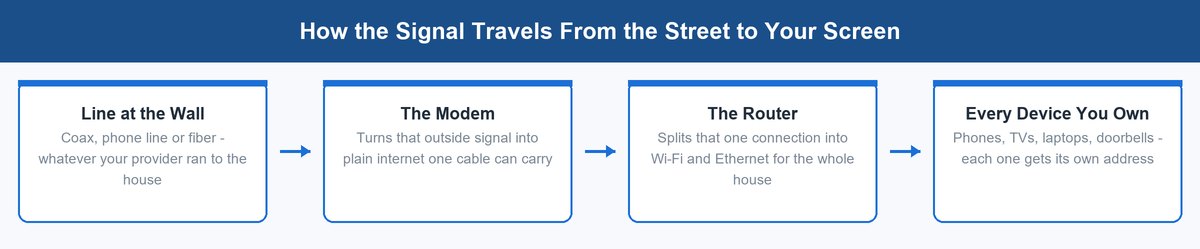
Think of your internet as water. Your provider runs a pipe to the house. The modem is the tap where that pipe ends. The router is the set of smaller pipes that carry water to every room.
Neither box can do the other one’s job. A modem with no router gives you internet on exactly one device, over one cable. A router with no modem gives you a lovely private network with nothing on the other end of it.
The Modem Translates What Your Provider Sends
Your provider does not send plain internet down the line. It sends a signal shaped for whatever it ran to your street. Coax cable carries one shape. A phone line carries another. Fiber carries light.
The modem’s only job is turning that signal into ordinary internet that a network cable can carry. That is where the name comes from. It modulates and demodulates, which is a long way of saying it translates in both directions.
This is also why a modem is picky. A cable modem speaks the cable standard, called DOCSIS, and nothing else. Plug it into a fiber line and it does nothing at all. CableLabs, the group that writes DOCSIS, puts current DOCSIS 3.1 modems at up to 5 Gbps coming in. Almost nobody buys a home plan that fast, which is worth knowing before you spend money on headroom.
The Router Shares That One Connection With Everything
The modem hands over one connection. One. Your house has maybe thirty things that want it.
The router solves that. It takes the single connection and splits it, over Wi-Fi and over network cables, giving each device its own private address inside your home. It also decides who gets bandwidth when your kid is gaming and someone else starts a video call.
That sharing job is why the router is the box you feel every day. Dead spots in the back bedroom, video that stalls at dinner time, a laptop that drops off in the kitchen. Those are almost always router problems, not modem problems. If a room is out of reach entirely, a wired link often beats more radio, and a small network switch is the cheap way to do it. We covered how to pick a quiet one in our guide to choosing a 10GbE switch for a home lab.
How to Tell Which Box Is Which Without Unplugging Anything
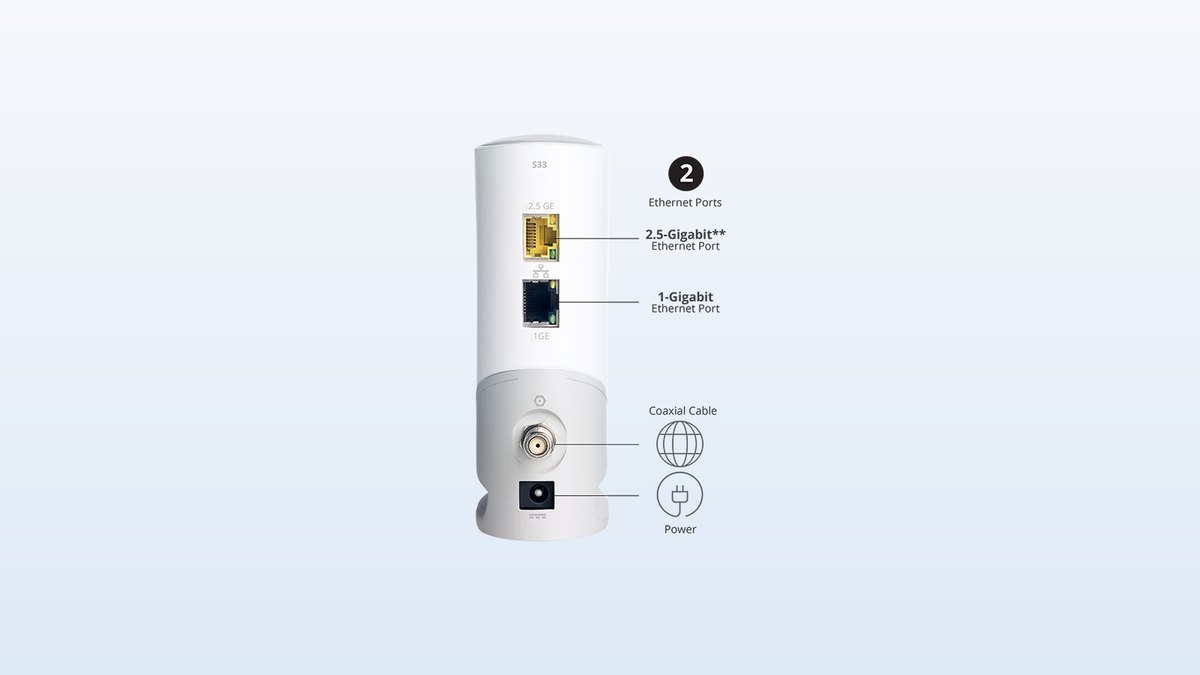
You do not need to move furniture for this. Walk over, look at the back of the box, and count what is plugged in.
Count the Cables Going Into the Back
A modem has a round screw-on connector for the coax cable, or a phone jack, or a fiber socket. Next to it there is usually one network port and a power socket. That is the whole picture. One line in from the street, one line out to your router.
A router has no coax connector anywhere on it. What it has is a row of identical network ports. One of them is usually a different color and labelled WAN or Internet. That one goes to the modem. The rest go to your devices.
A combined box has both. Coax on one side, a row of network ports on the other, and often antennas. If you see a screw-on coax connector and four network ports on the same unit, you are looking at one box doing two jobs.
| What to look for | Modem | Router |
|---|---|---|
| Coax, phone or fiber socket | Yes | No |
| Row of four network ports | No | Yes |
| Antennas | No | Usually |
| Printed Wi-Fi name and password on the sticker | No | Yes |
| Lights labelled Downstream, Upstream, Online | Yes | No |
Read the Sticker and the Blinking Lights
Flip the box over. The sticker tells you more than the front does. A modem’s sticker carries a MAC address and a serial number, and often the word DOCSIS with a version beside it. A router’s sticker carries a Wi-Fi network name and a Wi-Fi password. If there is a printed Wi-Fi password on it, it makes Wi-Fi.
The lights help too. A modem usually has lights labelled something like Power, Downstream, Upstream and Online. A router usually has a light shaped like a Wi-Fi symbol, plus a small light per network port. Two boxes with two power bricks means you have a modem and a router. One box, one power brick, one coax cable and a printed Wi-Fi password means you have a gateway.
Do You Need Both a Modem and a Router
Yes, in the sense that both jobs have to happen. No, in the sense that they do not have to be two objects.
For most of the last twenty years, homes had two boxes. Then providers started shipping one unit with both jobs inside and called it a gateway. It is the same two functions, sharing a case and a power supply. Nothing was removed.
There is one exception worth knowing. On fiber, the translating job is done by a small box on your wall called an ONT, short for optical network terminal. Your provider owns it and installs it. You cannot buy your own, and you do not need to. On fiber you only ever choose the router half.
Which Box Your Provider Is Actually Charging You For
Now the part that costs money. Look at your bill and find the equipment line. On most bills it is not folded into the internet price. It sits on a line of its own.
There is a reason to go looking for it. Under 47 U.S. Code § 562, added by the Television Viewer Protection Act in December 2019, a provider of fixed broadband may not charge a consumer for using equipment the consumer supplied.
Read that twice, because it is the whole argument. The fee is for the loan of a box. It is not a fee for internet. Return the box, put your own in its place, and the fee has no legal basis to continue.
What that line costs varies a lot. Some providers charge a few dollars a month for a plain modem. Others charge into the high teens for a gateway with Wi-Fi built in, and some fold in a service plan on top. Nobody can tell you your number from the outside, and any post that quotes you one figure is guessing. Go find yours. This is general information, not legal advice, and providers differ on how they handle the swap.
When Buying Your Own Gear Pays Back and When It Does Not
This is a money question with a two-step answer. First do the math. Then check whether you are one of the people the math does not apply to.
Do the Payback Math on Your Own Bill
Take the price of the box you would buy. Divide it by your monthly equipment line. The answer is the number of months until you are ahead.
A one-box replacement in the range of most gateway-style units, call it a hundred and fifty to two hundred dollars, sits against an equipment line that is usually somewhere between a few dollars and the high teens. At the low end of that fee, you are looking at years. At the high end, closer to a single year. After that the box keeps working and the fee is gone.
Two things bend the answer. One is how long you stay put, because the payback only counts if you keep the box in service. The other is that a bought box eventually needs replacing, while a rented one gets swapped for free when it fails or when the network changes. Budget honestly for five years of ownership, not forever.
Three Times Renting Still Makes Sense
Buying is not automatically right. Here are the cases where handing the job back to your provider is the better call, and none of them are close.
You are on fiber. The ONT belongs to your provider and there is nothing to buy. You can still bring your own router if you want better Wi-Fi, but the translating half is not yours to replace.
You move often, or you are on a short lease. Every move means checking a new provider’s approved list, and possibly buying again. A rental follows you and costs nothing to swap.
You are on 5G home internet or satellite. Those services use one purpose-built unit tied to that network. There is no aftermarket version of it, so the question does not come up.
Three Boxes Worth Buying if You Decide to Stop Renting
Three products cover every branch of this decision. One is a modem on its own. One is a router on its own. One is both jobs in a single unit. Prices move week to week, so treat every range below as a rough band and check the current number before you buy.
ARRIS SURFboard S33 for Fast Cable Plans
This is the standalone modem to get if your cable plan is genuinely quick. It speaks DOCSIS 3.1, and it has a 2.5-gigabit network port on the back rather than the usual one-gigabit port. That matters, because a one-gigabit port becomes the limit the moment your plan goes past a gigabit.
Buying a modem on its own has one quiet advantage that people underrate. It separates your two upgrades. Wi-Fi standards change every few years. Cable standards change far more slowly. Own them apart and you can replace the fast-moving half without touching the slow-moving one.
Expect to pay somewhere in the region of $190 to $240 for a new unit. That is more than the combined box further down this list, which surprises people. You are paying for the multi-gigabit port and for the freedom to pair it with any router you like.
- Standard: DOCSIS 3.1, the current cable standard on most US networks.
- Ports: one 2.5-gigabit network port plus one 1-gigabit port.
- Wi-Fi: none. This is a modem only, so you need a router beside it.
- Works with: cable service only, and only on models your provider lists.
- Job it replaces: the modem half of a rented gateway.
- The 2.5-gigabit port means the modem is not the thing holding back a fast plan.
- Keeping the modem separate lets you upgrade Wi-Fi later without buying a modem again.
- Widely carried on the approved lists of the big cable providers, which is the first thing to check.
- No Wi-Fi radio inside means one less thing to go wrong or need a firmware fix.
- It costs more than several combined modem and router units that do both jobs.
- You still have to buy a router, so the real spend is higher than the sticker.
- Two boxes means two power plugs and two things on the shelf.
- The extra speed is wasted money on a plan under a gigabit.
Check today’s price on Amazon.
TP-Link Archer AX55 for Whole-House Wi-Fi
If your internet is fine at the desk and bad in the bedroom, this is the half of the problem you should be spending on. A router upgrade changes what your house feels like. A modem upgrade almost never does.
The Archer AX55 is a Wi-Fi 6 router with four network ports on the back and a USB port for a shared drive. It is the sensible middle of the market rather than the exciting end of it, which is exactly why it is here. Expect to pay somewhere in the region of $80 to $110. Against a gateway rental in the high teens, it pays for itself in about five months.
Set expectations honestly. This is Wi-Fi 6, not Wi-Fi 7. Wi-Fi 6 is what the large majority of phones and laptops in circulation actually speak, so for most homes the newer standard would sit there unused. Buy the newer one only if you have already got devices that can use it.
- Standard: Wi-Fi 6, dual band, covering the 2.4 GHz and 5 GHz bands.
- Ports: four 1-gigabit network ports plus a 1-gigabit internet port.
- Extras: USB 3.0 port, guest network, parental controls, VPN support.
- Mesh: works as part of an EasyMesh set if you add units later.
- Job it replaces: the Wi-Fi half of a rented gateway.
- Cheap enough that it pays for itself against a gateway rental inside a year in many homes.
- Wi-Fi 6 matches what most current phones, laptops and TVs actually support.
- Four network ports on the back cover a desk setup without extra hardware.
- Can be added to later as a mesh set instead of being replaced outright.
- Dual band only, so there is no 6 GHz band for newer devices to use.
- One unit will not cover a large or long house on its own.
- The network ports are 1-gigabit, which limits wired speed on faster plans.
- It does nothing about the modem half, so a rental fee for that box may remain.
Check today’s price on Amazon.
ARRIS SURFboard G34 for One-Box Simplicity
For most people reading this, the combined unit is the honest answer. It does both jobs. It replaces a rented gateway one for one. One box comes out, one box goes in, and the shelf looks the same afterwards.
The G34 pairs a DOCSIS 3.1 modem with a Wi-Fi 6 router rated AX3000, with four network ports on the back. It usually sells for less than the standalone S33 above, which is the detail that decides this for a lot of households. You are buying both halves for less than one of them costs separately.
The trade-off is real and worth saying out loud. When both jobs live in one case, you replace both at once. In three years, when you want newer Wi-Fi, the perfectly good modem inside goes in the recycling with it. Buy this if you value one box and one plug more than you value upgrading the halves apart.
- Standard: DOCSIS 3.1 modem and Wi-Fi 6 router in one unit.
- Wi-Fi: AX3000 dual band, rated by the maker for up to about 2,500 square feet.
- Ports: four 1-gigabit network ports on the back.
- Plans: built for cable plans up to 1 Gbps.
- Works with: cable service only, and only on models your provider lists.
- Job it replaces: an entire rented gateway, both halves.
- Replaces a rented gateway exactly, so the swap is one box out and one box in.
- Usually costs less than buying a good standalone modem on its own.
- One power plug and one shelf slot instead of two of each.
- A single app and a single set of settings rather than two devices to manage.
- Built for plans up to 1 Gbps, so it is the wrong buy on a faster cable plan.
- When you want newer Wi-Fi, you replace the modem inside it at the same time.
- Wi-Fi coverage is one unit in one spot, which a large home will outgrow.
- If either half fails you lose both, and there is no swapping in a spare.
Check today’s price on Amazon.
How to Tell if the Problem Is the Modem or the Router
When the internet stops, most people restart everything and hope. There is a faster way, and it takes about two minutes.
Start With the Lights on the Modem
Look at the modem, or at the coax side of your gateway, and find the light labelled Online or Internet. If that light is out or flashing, the trouble is between your house and your provider. No amount of Wi-Fi fiddling will fix it.
If that light is steady, your provider is delivering. The connection is arriving at your wall. Whatever is going wrong is happening after that point, which puts it in the router half, in the Wi-Fi, or on the device itself.
Then Test With One Network Cable
Take a laptop and plug it straight into the modem with a network cable, or into the gateway’s network port. Skip Wi-Fi entirely. If the internet works that way, the modem is doing its job and the router or the Wi-Fi is where the fault lives.
If the wired connection also fails, the problem sits with the modem or with the line coming into your home. That is when you call your provider, and now you can tell them exactly what you tested. For the longer story of how all of this fits together end to end, we walked through the plumbing of the whole system in how the internet is actually built.
The Bottom Line on Modem vs Router
A modem is the translator at your wall. A router shares that one connection with the whole house. Most homes now get both jobs in a single box, which is why the two words get mixed up.
The difference matters because that box is probably a monthly line on your bill, and the law says you may replace it with your own and stop paying. Find the line. Divide the price of a replacement by it. If the answer is a year or two and you are not moving house, buying wins.
And if you only change one thing, change the router. It is the half you actually feel.
Frequently Asked Questions
Do I need a router if I have a modem?
Yes, if you want more than one device online. A modem gives you a single internet connection over a single cable. A router takes that one connection and shares it with every phone, laptop, TV and speaker in the house, over Wi-Fi and over network cables. Without a router you can plug in one computer and nothing else.
Is Wi-Fi a modem or a router?
Wi-Fi comes from the router. The modem has no radio in it and broadcasts nothing. If your box has a printed Wi-Fi name and password on its sticker, it contains a router, even if your provider calls the whole thing a modem. A great many homes have one box that quietly does both jobs, which is where the confusion starts.
What does a modem look like?
A modem is usually a small box with a round screw-on coax connector on the back, next to one network port and a power socket. Some are flat, some stand upright like a tower. The giveaway is the coax connector and the short list of ports. If you see a row of four identical network ports and antennas, you are looking at a router or a combined unit rather than a plain modem.
How do I know if it’s my modem or my router?
Check the Online light on the modem first. If it is off or flashing, the problem is between your home and your provider. If it is steady, plug a laptop directly into the modem with a network cable and skip Wi-Fi. Internet working over that cable means the modem is fine and the router or Wi-Fi is the problem.
What is the difference between a modem, a router and a gateway?
A modem translates your provider’s signal into ordinary internet. A router shares that connection with your devices. A gateway is simply one box containing both, which is what most providers now supply. All three names describe the same two jobs, just packaged differently.
Can I stop paying my provider’s equipment rental fee?
In most cases yes, by buying your own equipment and returning theirs. Under 47 U.S. Code section 562, a provider of fixed broadband may not charge you for using equipment you supplied yourself. Check your provider’s approved model list first, then return the rented box and keep the receipt.
Do I need a modem for fiber internet?
No. Fiber service uses a small box called an ONT, short for optical network terminal, which your provider owns and installs. You cannot buy your own and you do not need to. On fiber you only ever choose the router, which is still worth doing if the Wi-Fi you were given is weak.
About the Author
Elena Brooks
Elena Brooks writes about the household buying decisions that are easy to get wrong and expensive to repeat. She reads the standards documents and the statutes herself, quotes them directly, and tells you plainly when the honest answer is to buy the box or to keep renting it.