

- There is no single best AI tool for a student. There are four student jobs, and each has one tool that clearly wins.
- For writing that sounds like you and not a robot, Claude has the strongest reputation. For research you can actually cite, Perplexity wins because every claim comes with a source link.
- For coding, math, and “explain this like I am new,” ChatGPT is the friendliest starting point and the most forgiving when you get stuck.
- Every major tool now has a free tier that covers most coursework. Pay for a subscription only when you hit a hard wall, not because a list told you to.
- A student discount can cut a subscription by more than half, but only if you buy it through the company’s official education page, never a random reseller.
- The tool does not do the thinking for you. Used well, it is a patient tutor that never gets tired of your questions. Used badly, it is a very confident liar.
Most “best AI tools for students” lists hand you sixty apps and call it help. That is not a decision, it is a spreadsheet. The honest answer is that the best AI tool for students depends entirely on which of four jobs you are doing: writing words, finding facts you can cite, wrestling with code or math, or cramming for an exam. This guide picks one clear winner per job, explains why in plain English, and tells you exactly when the free tier is enough so you are not paying a monthly subscription you do not need.
Start Here: Match the Tool to the Job
Before you download anything, name the job. Students do a handful of distinct tasks, and each rewards a different strength.
| Your job | What you need | Best pick | Free tier enough? |
|---|---|---|---|
| Essays, reports, lab write-ups | Natural writing, long documents | Claude | Often yes |
| Research you must cite | Answers with real sources | Perplexity | Yes, for most papers |
| Coding, math, problem sets | Step-by-step help, patience | ChatGPT | Yes, for coursework |
| Notes, revision, summary | Turning 80 pages into 8 | NotebookLM | Yes, free |
Read the table as a menu, not a leaderboard. The same student might use three of these in one afternoon, and that is exactly the right way to use them.
Best for Writing: Claude
If your main task is words, Claude is the strongest default. It was built by Anthropic, a company that has leaned hard into writing quality and careful reasoning, and it shows in the prose. Ask it for a paragraph and you get something that reads like a person wrote it, not like a template filled in by a machine. That matters more than it sounds like it should: professors have gotten very good at spotting the tell-tale “AI essay” cadence, the tidy intro, three neat points, and a bow on top.
Another advantage is how much text Claude can hold in its head at once. You can paste in a whole chapter and ask questions across all of it without the tool losing track of page one by the time you reach page forty. For a literature review or a long lab report, that is the difference between a helpful assistant and a forgetful one.
Best for Research: Perplexity

Perplexity looks like a chatbot but works like a search engine that read the internet for you. Ask a question and it answers in a short paragraph, then lists the sources it used right underneath, each one a link you can open and check.
That citation habit is the whole point for students. When a tool hands you a fact with no source, you have to go verify it anyway, which defeats the purpose. Perplexity does that first step for you. It is also refreshingly current, because it is reading live pages rather than relying only on what a model memorised months ago.
Best for Coding and Problem Sets: ChatGPT
For anything with numbers or code, ChatGPT is the most forgiving place to start. It has the deepest pile of tutorials and example answers on the internet, so when you get stuck, someone has already asked your exact question and gotten an answer. Its voice mode is also the best of the bunch, which is genuinely useful when you want to talk through a concept out loud, like a study buddy who never gets bored.
It is also the broadest tool, which cuts both ways. It can draft an essay, explain a physics concept, generate a diagram, and debug your Python in one session. But broad help is shallow help at the edges, so for a serious coding project you will eventually want a tool that works on a whole project rather than a pasted snippet.
Best for Notes and Revision: NotebookLM and Gemini
NotebookLM is built for exactly one thing, and it does that thing better than anything else on this list: you upload your own documents (lecture slides, a textbook chapter, your messy notes) and it answers questions only from what you gave it. Because it is fenced off from the open internet, it will not invent an answer from nowhere, and it can turn a wall of text into a study guide or a summary you can revise from.
If you are already inside Google’s world, Gemini is the comfortable everyday pick. Its free tier lets you reach Google’s top model, which is a lot of horsepower for zero dollars, and it lives right next to your documents and search.
Free vs Paid: When the Upgrade Is Actually Worth It
Here is the part most lists get wrong. You probably do not need to pay yet.
Every tool above has a free tier that handles normal coursework. The paid plans, which cluster around the price of a takeaway meal per month, buy you three real things: a higher usage ceiling before you get throttled, access to the strongest model, and priority during busy hours near deadlines. If you have never once been told “you have reached your limit,” you are not the customer for the paid tier.
The upgrade earns its keep in one situation: you use a tool daily, you are repeatedly hitting the free ceiling, and a lost hour costs you more than the subscription. That is a real bar, and most students do not clear it until they are deep into a heavy semester.
The Student Discount Trap
The better move is often the official student deal. Several of these companies run education pricing that can cut a subscription by more than half, sometimes with perks thrown in.
There is one rule: buy it through the company’s own education page, with your school email address. Third-party resellers advertising cheap “student” keys are how people get locked out of their accounts or charged twice. If a deal is not on the vendor’s own site, assume it is not real. Verify your eligibility on Perplexity’s official pricing page and read the terms before you enter card details anywhere.
Hardware That Makes Any AI Tool Work Better
Software is only half the setup. If you are doing serious coursework, a few cheap pieces of hardware turn a laptop into a proper study station.
An inexpensive tablet lets you handwrite notes with a stylus while an AI tool is open beside it, which beats switching tabs. Check the price of a 10th-generation iPad on Amazon if you want the cheapest mainstream entry point.
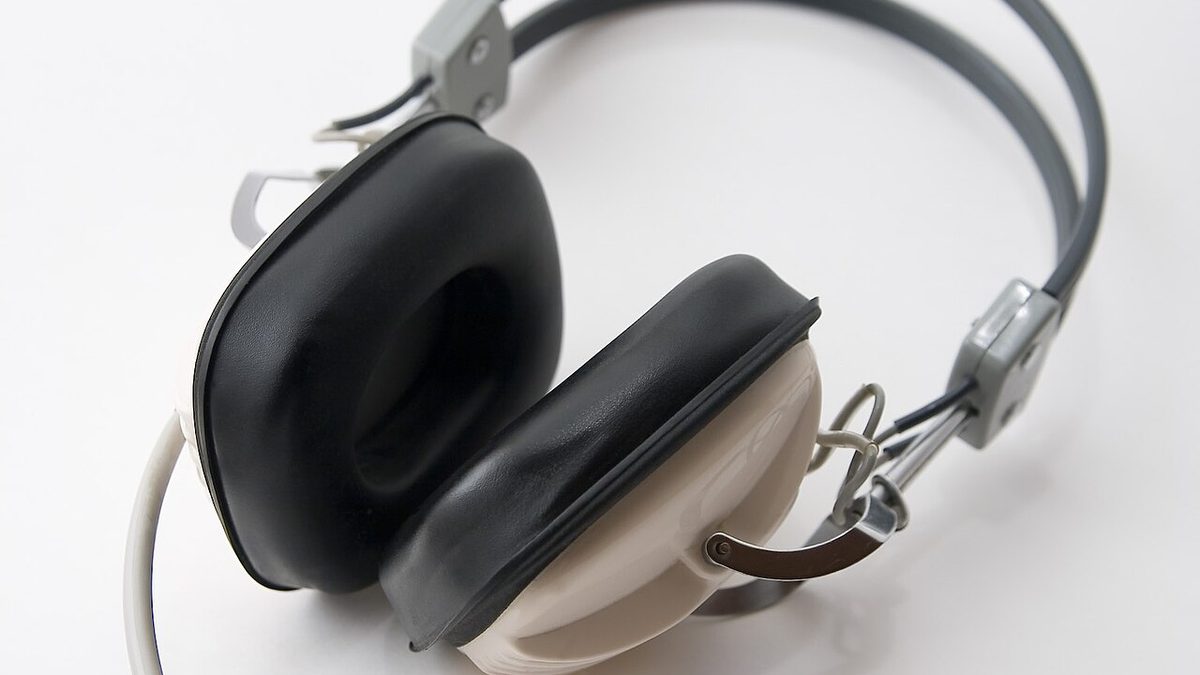
Noise-cancelling headphones are the unglamorous upgrade that pays off in a shared library. Check current noise-cancelling headphone prices on Amazon for a set that will survive a full degree.
Finally, a simple USB-C hub or laptop stand fixes the two things every student laptop gets wrong: too few ports and a screen that sits at neck-crick height. Check multi-port USB-C hub prices on Amazon for an inexpensive fix.
How to Use These Tools Without Getting Caught Out
A short list, learned the hard way by students who did not have it.
Cite your process, not the tool. If your school requires you to disclose AI use, do it. A disclosed outline that used a tool is not cheating. An undisclosed essay that a tool wrote for you is.
Treat every fact as unverified until you check it. These tools generate fluent, confident sentences, and fluency is not accuracy. The sentence that sounds the most certain is worth the most checking.
Use it to learn, not to skip. The students who get the most out of these tools ask them to explain and quiz, not to write the answer. One group finishes the assignment faster and learns nothing. The other finishes it and can pass the exam.
Frequently Asked Questions
Is it cheating to use AI tools for schoolwork?
It depends on two things: your school’s rules and what you do with the output. Using a tool to explain a concept, quiz you, or tighten your own draft is studying. Having it write the assignment and submitting that as your own work, when your school forbids it, is cheating. When in doubt, disclose what you used. A disclosed tool is a study aid; a hidden one is a risk.
Which AI tool is best for a student on a tight budget?
Start with the free tiers and only upgrade when you hit a wall. Perplexity and NotebookLM are the strongest free options for research and revision. If you do need to pay, buy the official student plan with your school email rather than a full-price subscription or a third-party key.
Can I trust the facts these tools give me?
Not on their own. These tools write fluent sentences whether or not the sentence is true, so a confident tone is not evidence. Use tools that show sources, like Perplexity, and open those sources before you rely on a number or a quote. Treat every uncited claim as a rumour until you confirm it.
Do professors actually detect AI writing?
The reliable detectors are unreliable in both directions, so do not build a strategy around beating them. Professors more often notice the writing style, the timing, or a mismatch between your in-class work and your take-home work. The durable answer is to use these tools to understand the material, not to impersonate your own writing.
What is the single best AI tool for students overall?
If you will only use one, pick based on your most common task. Writing-heavy course? Claude. Research-heavy? Perplexity. Code and problem sets? ChatGPT. Notes and revision? NotebookLM. There is no universal winner, only a best fit for your week.
Will AI tools replace the need to learn the material?
No, and the students who assume they will are the ones who struggle at exam time. A tool can explain, summarise, and quiz, but it cannot sit the closed-book test for you. Used well, it shortens the distance between confusion and understanding. Used as a shortcut, it just moves the failure later, usually to the exam hall.
About the Author
Elena Brooks
Elena Brooks is the person her group chat texts when something at home stops working or a health trend starts trending. She’s spent years turning that instinct into a job — digging into the research behind everyday questions, calling the experts, and writing up what holds up and what doesn’t. Her beat is wherever curiosity points: kitchens, cars, pets, sleep, money, and the occasional meteor shower.